Apps Like Hi Camera - Cartoon Filter for iPhone and iPad
Edit photos with filters
Apply filters to photos and videos for stylized effects. Swap faces in videos for creative self-portraits. Use pose guides and trendy hairstyles to enhance photo composition. Adjust filters and effects for customized artistic outcomes.
by Unbing Ltd★ 4.2306 ratingsPhoto & VideoFreeData updated 2026-09-06
Manage subscriptions by canceling auto-renewing services. View active subscriptions, edit payment methods, and set renewal dates. Export subscription history and receive alerts for upcoming renewals.
Convert photos to style with adjustable contrast, brightness, and sharpness. Import images from the album or capture new photos via the built-in camera. Save cartoons to the album or email them directly.
Create videos by adding emojis to clips. Choose from various emojis and emoticons. Apply funny filters for viral challenges. Edit and share videos directly.
Remove unwanted people and blemishes from photos or videos by painting and erasing. Edit images with AI tools, add text, filters, and effects. Adjust facial features like face shape, forehead, chin, and cheeks.
Share photos and videos to and other social networks. Repost posts, stories, , IGTV, and multi-photo content. Add watermarks or remove them. Supports multiple platforms for content sharing.
Create videos with filters, effects, and stickers. Add music and cinematic transitions. Edit photos into slideshows with customizable templates. Export and share finished videos directly.
Edit photos with one-click body reshaping and scene-adaptive optimization. Adjust parameters for precise control. Apply regularly updated filters. Enhance body proportions by identifying 30+ key points. Share edited images directly.
Edit photos and videos with like Analog Noise, Digital Noise, and VHS Noise. Apply such as Color Aberration, Datamosh, and Pixel Sorting. Save edited content as animated GIFs. Export in 4K resolution.
Apply lo-fi and retro filters to photos and videos. Choose from instant camera, hipster, disposable, and styles. Add grain, vignette, dust, and light leaks. Customize color filters and presets. Save and share edited content.
Edit photos with age adjustment tools to generate younger or older versions. Apply cartoon-style effects to portraits. Switch hairstyles and adjust facial features. Export edited images in multiple formats.
Edit photos and videos with a variety of and effects. Apply trendy styles to enhance visuals. Create original content with editing tools. Export and share edited media directly. Sync with social platforms for seamless posting.
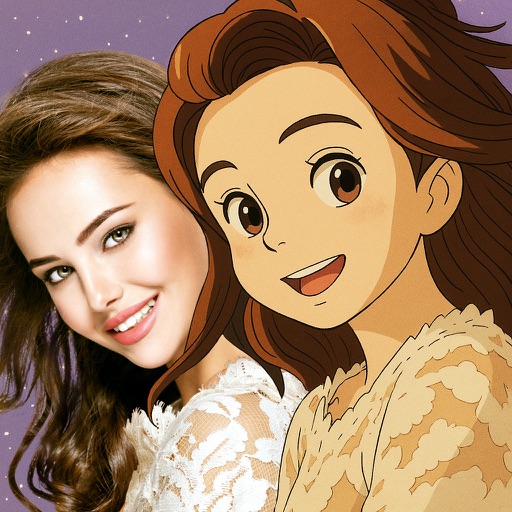
Convert photos into -style characters using AI technology. Select a photo or use the to generate avatars. Customize backgrounds, animate scenes, and share created artwork. Edit and refine cartoon faces with various styling options.
Edit photos with AI art style transfer and realistic filters. Add beautiful frames and apply FX or blur effects. Turn portraits into canvases or cartoons with magic effects. Use lens tools for lighting and adjust colors manually.
Create and edit using AI-generated text prompts or by converting videos and photos. Swap faces in images and share on social platforms like Instagram and Facebook. Access a library of trending and .
Transform photos into , oil, digital, or contemporary art styles. Apply artistic effects with one tap. Adjust brush size, color, and texture. Save and share edited images directly.
Edit photos with filters, cropping, and adjustments. Add text, stickers, and frames. Create collages by combining multiple images. Share directly to social media. Apply effects and choose from various fonts and stickers.