View photos with a dolphin companion overlay. Add personal photos to create memory frames. Watch curated dolphin videos. Share edited images and videos directly. Sync photos with the Dolphin frame for display.
by OPERADORA XUNA SA DE CV★ 0.00 ratingsEntertainmentFreeData updated 2026-09-21
Explore environments from the perspective of different creatures like a plane, butterfly, hawk, or dolphin. Navigate through interactive worlds shaped by each animal's unique sensory experiences.
Take photos or record videos directly from the camera interface. Apply filters, lenses, and Bitmoji to enhance content. Share content with friends via chat or group stories. Use video chat with up to 16 participants and apply filters during calls.
Create collages using photos and videos. Add text, stickers, and backgrounds. Include video clips in collages. Share finished projects directly. Edit images with cropping and filters. Save and export in various formats.
Send photos and videos to connected WiFi digital photo frames from anywhere. View and manage shared albums. Receive notifications when photos are viewed. Control frame settings and update content remotely.
Store and organize full-resolution photos and videos. Back up images and share them directly. Access 5GB of storage for non-Prime users and unlimited storage for Prime members in select countries.
And store photos and videos with 15 GB cloud space. images using AI tools like Magic Eraser and blur reduction. Organize media with automatic sorting and search by content. Share files directly from the .
Share photos and videos privately with selected and friends. Invite others to view, react, and comment on content. Organize media in a personal gallery for easy access and management.
Create custom designs with photos using templates, fonts, filters, frames, and hand-crafted stickers. Organize and save moments. Share edited photos directly.
Capture photos without editing, using a style interface. Save and organize images. Create customizable memory recaps with photos and optional text. Share finished projects directly.
Create collages with 20000+ layouts and effects. Add stickers and text to photos. Edit images with cropping and filters. Make videos with carousel and slideshow options. Share directly to Instagram.
Edit photos and videos with high-quality filters and customizable presets. Create and save custom presets. Use full-screen editing mode. Access intuitive tools for creative adjustments. Share edited content directly.
Apply filters to create Lo-Fi effects with frame-skipped visuals and a 1980s aesthetic. Adjust colors for a dark, nostalgic look. Add effects to enhance the vaporwave style and create surreal, immersive edits.
Edit photos with filters, cropping, and brightness adjustments. Add text, stickers, and frames. Create collages and enhance images for social sharing. Trim and cut videos. Export in multiple formats and share directly.
Enhance videos and photos to HD/Ultra HD/4K with before/after comparisons. Apply creative transitions. Retouch selfies to improve appearance. Stabilize shaky footage for smoother results.
Edit photos with filters, cropping, and adjustments. Add text, stickers, and frames. Create collages by combining multiple images. Share directly to social media. Apply effects and choose from various fonts and stickers.
Edit photos with background blur, skin smoothing, and artistic filters. Remove distractions and enhance details. Add text and stickers. Share directly to social media or save in high-quality formats.
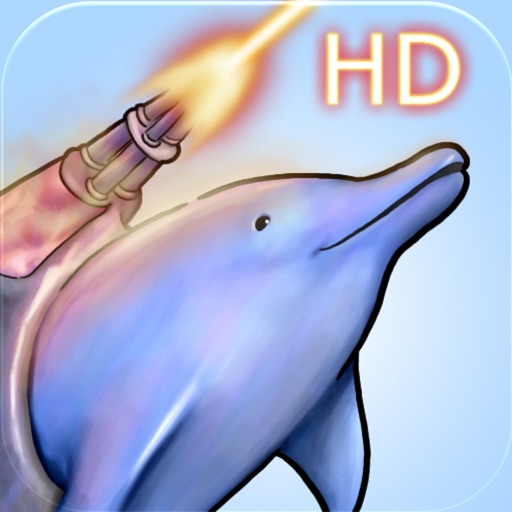
The app features Laser Dolphin on a mission to rescue the Prime Minister across four planets and 50 levels. Players encounter various sea creatures and utilize power-ups like torpedoes and a laser sword.
Edit photos with filters, cropping, and adjustment tools. Add text, stickers, frames, and patterns. Create collages by combining multiple photos. Share edited images directly to social media.