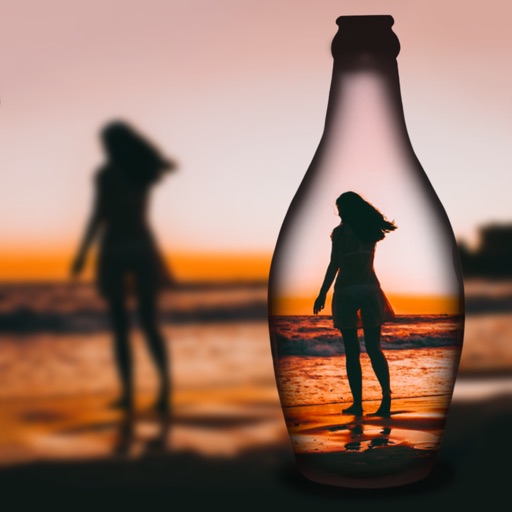
Take photos and videos in low-light conditions. Adjust exposure time with a gesture to capture more light. Use the iPhone torch while taking photos in complete .
by Souria HAKKAR★ 1.01 ratingsUtilitiesFreeData updated 2026-09-06
Extract high-quality photos from videos or Live Photos. Select individual frames to save as images. Share extracted photos directly from the . Supports burst extraction and offers precise frame selection.
Beijing Lingguang Zaixian Information Technology Limited
Shoot professional RAW photos and videos
Capture and edit professional-grade photos with support. Adjust 16-bit image processing settings. Apply color calibration profiles for accurate tones. Export in high-quality formats. Access advanced features for free with PRO subscription.
Store and organize photos and videos with secure access options. Set PIN, alphanumeric, or gesture-based passwords. Create multiple user accounts for content segmentation. Enable SnoopStopper™ to prevent unauthorized access.
Record time- videos with customizable intervals and duration settings. Capture stop sequences frame by frame. Edit clips with trimming, speed adjustments, and filters. Share videos directly to social media or cloud storage.
Take selfies with real-time beautifying filters. Adjust skin tone and appearance using specialized filters. Swipe to switch between different filter options. Share edited selfies directly.
Report local issues like potholes, damaged signs, and street light problems using GPS location. Select from predefined problem categories. Upload photos or videos to support reports.
Capture 360-degree photos and videos with a connected . Control the remotely to shoot, preview live streams, and download files. Share media via social platforms or view in VR.
Capture high-resolution images with 100x HD and 189x capabilities. Use real , binoculars, and for detailed shots. Adjust focus and exposure settings. Share photos directly from the .
APPAS SOLUTIONS, SOCIETATEA CU RASPUNDERE LIMITATA
Accurately and reduce blur for clearer images
Enhance image clarity and reduce blur during digital beyond 60x compared to standard . They improve visibility in low-light conditions and help capture detailed images without a dedicated camera.
Detect cameras and listening devices in any space using a security scanner. Scan objects like remotes, TVs, and backpacks for suspicious items. Follow step-by-step guides for thorough checks. Enable night vision mode for low-light detection.
Create and edit celestial and landscape photos with advanced tools. Capture and adjust exposure, color, and composition. Add overlays and effects. Share edited images directly from the .
Apply live filters to enhance photos with effects. Adjust color tones and add vintage textures. Share edited images directly to Instagram. Save and view photos with analog-style filters.
Edit and videos in real time with HDR tone mapping. Correct lighting and exposure issues. Apply eight unique artistic modes. Enhance details and preview edits before capturing. Adjust exposure and transform images instantly.
Take photos with single-tap effects and professionally designed filters. Adjust brightness and contrast. Apply blur and focus. Rotate and crop images. Export edited photos in various formats.
Guangzhou Mengdong Information Technology Co., Ltd.
Capture moments with trendy retro filters
Capture photos with artistic film themes featuring retro aesthetics and trendy elements. Apply unique color filters and textures. Customize styles for different occasions. Share edited photos directly.
Take photos and videos with adjustable settings. Apply free filters and themed stickers. Enhance skin tone, smooth features, and adjust facial elements like eyes and lips. Save and share edited content directly.
Record video using front and back cameras simultaneously on iPhone XS and newer models. Capture footage with selfie and frontal view. Share videos publicly. Switch between front and back modes. Use flash light for both cameras.