Play card games with undo, redo, and auto-complete features. Tap and hold cards to highlight matching ones. Access hints, track statistics, and switch between normal and pro modes with customizable gestures and quick move options.
by Delta Engineering Labs, LLC★ 4.5435 ratingsGamesFreeData updated 2026-09-21
Play with offline mode and left-handed support. Customize board and card backgrounds. Access daily challenges and draw 1 or 3 cards. Track progress with record keeping and undo moves.
Play with classic game mechanics and modern enhancements. Choose from single-player or multiplayer modes. Adjust card sizes and fonts for better visibility. Save progress and replay games. Compete against other players in real-time matches.
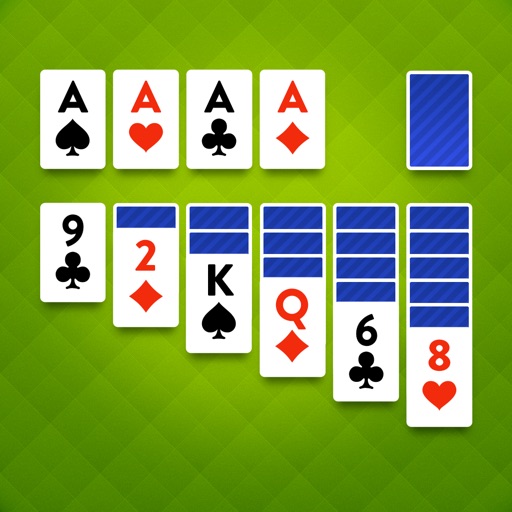
Play using the Klondike layout. Move cards between tableau piles, build sequences in descending order, and move cards to the foundation. Clear all cards from the tableau to win. Save progress and resume later.
Play Solitaire with classic Klondike rules and a clean interface. Challenge daily puzzles with varying difficulty levels. Track progress and compete in leaderboards. Customize card layouts and themes. Share high scores with friends.
Play classic variants and compete in multiplayer tournaments. Manage in-game resources to build and upgrade your virtual casino. Earn rewards through card battles and unlock new game modes.
Play by arranging cards in descending order within suits. Move cards between stacks to build sequences. Complete levels by clearing all cards. Access daily challenges for additional gameplay.
Play with gameplay and customizable themes. Move cards between piles, build sequences down to the ace, and clear the board. Save progress and play offline on iPhone or iPad in portrait or landscape mode.
Play a card game with single-player mode and multiple difficulty levels. Shuffle and deal cards, plan moves, and clear the board. Track progress and compete against daily challenges. Share high scores and replay games.
Play with large card displays and intuitive controls. Use unlimited undo, hints, and autoplay features. Track performance stats and compete on a leaderboard. Adjust game settings for personalized play.
Play with Klondike rules. Move cards between tableau piles, build sequences in descending order, and move cards to foundation piles by suit. Undo moves, restart , and adjust difficulty settings. Track progress and save multiple game sessions.
Play and with classic card mechanics. Access unlimited hints to guide moves. Track progress and replay previous games. Sync state across devices. Share scores and compete with friends. Adjust speed and difficulty settings.
Play with a minimalist interface and ambient sounds. Arrange cards in sequences to clear the board. Customize difficulty levels and track progress. Save games and play offline without ads.
Play with a classic game layout. Move cards between tableau piles, build sequences in descending order, and move cards to foundation piles by suit. Clear all cards from the tableau to win. Adjust sizes for better visibility on mobile devices.
The app tests focus and strategy skills with a classic card game. It offers support for iPhone and iPad, a user-friendly interface, and statistics to track progress.
Play FreeCell using a standard 52-card deck. Move cards to four Foundation piles to build suits from Ace to King. Rearrange cards between tableau piles. Undo moves and restart games. Save progress and access hints.
Play by arranging cards in descending order, alternating colors. Move cards between stacks, place Kings on empty spaces. Tap the deck for extra cards. Build foundations from Aces to Kings.
Play solitaire with drag-and-drop card movements and multiple difficulty levels. Undo moves, save progress, and compete in daily challenges. Track achievements and customize card layouts. Share scores with friends.
Play with large, clear cards and bold fonts for easy readability. Make moves by dragging and matching cards. Track progress through multiple game modes and difficulty levels. Adjust settings for sound and visual preferences.