Access classroom materials and participate in interactive lessons. View teacher announcements and submit assignments. Engage in real-time quizzes and discussions. Sync with the blue鸽 multimedia cloud classroom for seamless communication.
by Lancoo Group Co., Ltd★ 0.00 ratingsEducationFreeData updated 2026-09-21
Offers weekly audio and video explanations of 3 books, totaling 150 books annually. Parents can access detailed book summaries to read with children. Includes a parent classroom for addressing child development issues.
Access academic resources, view schedules, and submit assignments. Track exam dates and results. Communicate with teachers and parents through the platform. Retrieve syllabi and study materials. View attendance records and class notifications.
Manage academic records, attendance, and grades. Track financial transactions and budgets. Share real-time updates with students and parents. Submit and review assignments. Access administrative tools for scheduling and communication.
Students connect with school activities and stay engaged through a social platform. Access information about the institution, participate in events, and communicate with teachers and peers. View schedules, announcements, and assignments.
Receive notifications for updates and important announcements. Access news articles and event details. View academic calendars and class schedules. Submit assignments and check grades. Communicate with teachers and staff through messaging.
Take online courses on various subjects. Access video lectures, quizzes, and downloadable materials. Track progress and earn certificates. Participate in discussion forums and receive instructor feedback.
Manage your account, register for classes, private lessons, and events. Receive notifications about class changes, closings, registration openings, and special announcements. View upcoming events and access resources from your smartphone.
The app supports learning about the number line, ratios, rates, and proportions. It offers videos that can be used without an Internet connection, supporting classroom instruction for grades 4-8.
Learn chemistry concepts through interactive lessons and quizzes. Receive personalized study plans based on performance. Access detailed explanations and practice problems. Track progress over time.
Access schedules, games, assessments, and food menus from a single . View class details, submit assignments, and track progress. Receive notifications for upcoming events and deadlines. Sync with school systems for real-time updates.
Manage student records with attendance tracking, grade entry, and schedule management. Access e-learning content including video lessons and quizzes. Submit assignments and receive feedback. Monitor progress through performance reports and analytics.
Learn vocabulary through interactive exercises and quizzes. Review word meanings, pronunciations, and example sentences. Track progress and complete lessons in a structured curriculum.
Gloucester County Special Services School District
Access news, events, and calendars
Access news, announcements, and event calendars. View photo albums and videos. Browse teacher and staff sections. Receive push notifications. Manage event and calendar updates. Stay informed with real-time updates.
Create and customize multimedia flashcards for personalized learning. Review concepts through smart repetition based on optimal timing. Participate in engaging challenges to test and reinforce knowledge.
Access conference schedules, speaker bios, and session details. View presentations and download materials. Participate in live Q&A sessions. Network with professionals through discussion forums.
Access course materials, view schedules, and submit assignments. Track exam dates and results. Communicate with instructors and classmates through messaging. Access library resources and academic guidelines.
Access course materials and attend live classes remotely. View and manage your timetable. Receive student emails and university notifications. Check library resources and event updates. Submit assignments and access academic support features.
Kids can engage in interactive games to develop communication and leadership skills. Activities focus on improving memory, imagination, and logical thinking.
Listen to lessons, practice exercises, track progress
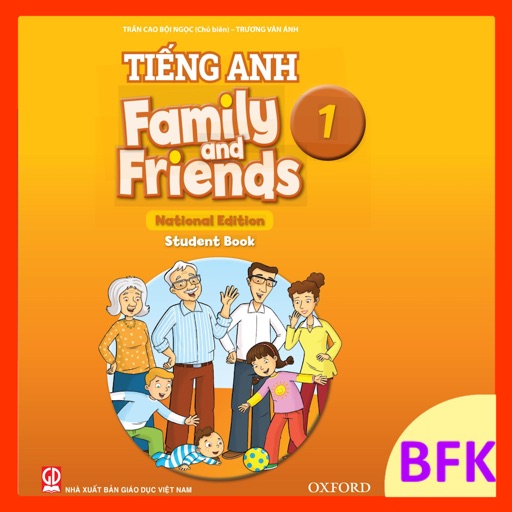
Grade 1 English provides offline listening exercises aligned with the 'Chân trời sáng tạo' textbook. Students can listen to lessons and view illustrated audio with images. Teachers can use the on phones or tablets for classroom instruction.