Apps Like Presets for Lightroom - Editor for iPhone and iPad
Edit photos with and share
Edit photos using advanced from pro filmmakers and bloggers. Apply filters, adjust colors, and enhance details with one-tap edits. Share edited photos directly to Instagram, Twitter, Facebook, Pinterest, Snapchat, and TikTok.
by Scep Group LLC★ 4.78,188 ratingsPhoto & VideoFreeData updated 2026-09-21
Create photo collages with hundreds of predefined layouts and AI-powered face detection. Combine up to 10 photos in various aspect ratios. Edit images by dragging, scaling, rotating, and flipping. Apply effects and customize frame width and style.
Edit photos using presets, crop, straighten, adjust exposure, saturation, brightness, contrast, and shadows. Apply textures to enhance images. Save and share edited photos directly.
Edit videos by selecting from hundreds of advanced transition templates. Add media and to create polished edits. Share finished videos on social media without needing advanced editing skills.
Edit photos with color filters, adjustment tools, and customization options. Apply creative color grading. Export edited images in various formats. Share photos using the #digitalfilmapp hashtag.
Share photos with one visible and one blurred. Friends pay to hidden images. credits redeemable for gift cards or prepaid Mastercards. as often as desired. Track earnings and manage rewards.
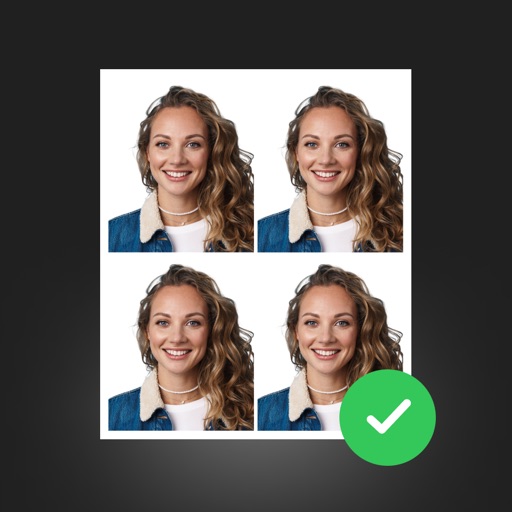
Create professional ID photos with AI tools. Automatically detect faces and remove backgrounds. Resize and crop portraits to fit official sizes. Support multiple countries' requirements. Generate printable -sized images for children and adults.
Create vertical videos with adjustable speed and volume settings. Apply filters designed for use. Add music from iTunes. Trim, reorder, and delete clips. Share videos on Instagram, IGTV, Stories, Snapchat, or other platforms.
Access articles and podcasts related to masculinity. Subscribe to remove ads. Track progress with fitness and lifestyle guides. Follow daily routines and tips for self-improvement. Share content with social media.
Manage multimedia files across Google Drive, Dropbox, Box, and OneDrive. View and edit videos with full playback, playlist management, and trimming. Apply color filters, resize, and crop videos. Convert videos to audio formats like MP3 and M4A.
Liangjie Information Technology (Chengmai) Co., Ltd.
Record front and back footage at once
Capture records front and back footage simultaneously with Dolby Vision HDR support. BuddyShot allows real-time remote control of another phone for focus and exposure adjustments. Video Frame Extraction extracts full-size 4K frames from videos.
Allows users to images with a single tap. Choose from pre-made templates or apply filters to enhance photos. Automatically or manually backgrounds. Add emotions and creative elements to improve visuals.
Record and apply realistic sound effects with high-quality audio. Create and save custom effects. Access monthly added packages via VIP subscription. Manage subscription settings through iTunes account.
Edit photos and videos with customizable , presets, and effects. Add grain, dust, blur, and dark effects. Adjust colors and create atmospheric effects. Share edited content directly.
Apply filters and effects to photos and videos for a retro film look. Adjust color, contrast, and grain. Access premium filters with a subscription. Share edited content directly.
Create collages with 10,000+ and pregnancy templates. Use milestone templates for newborns, bumps, and birthdays. Apply soft filters, brushes, pastel overlays, and cute frames.