Create and explore drum sounds using algorithms. Generate unique sets of 12 drums with 8-character codes. Save, copy, or paste codes for later use. Access sounds via AUv3 and Audiobus.
by Alexander Zolotov★ 4.982 ratingsMusic$1.99Data updated 2026-10-24
Create and edit music tracks using a wide range of drum and percussion sounds. Adjust rhythms and beats with an improved jamming algorithm. Export finished projects in multiple formats and share directly.
Create and shape oscillator waveforms by drawing with 32 blocks. Generate retro sounds using mirrored halves. Interpolate between 16 oscillator pages. Apply effects like arpeggio, stereo delay, and resonant filter. Record sounds on a tape interface.
Customize positions and scales for personalized finger drumming. Play, record, and save performances. Load saved sessions and export to MIDI, WAV, and MP3 formats.
Create and customize basslines with a synthesizer and drum machine. Adjust waveform shapes, filter settings, and envelope parameters. Sequence rhythms with step editors and pattern loops. Export audio files and share directly.
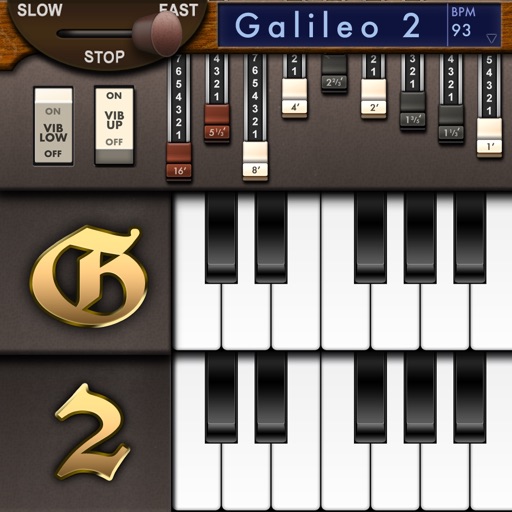
Create and customize sounds with 17 different types. Configure three manuals independently. Use scanner vibrato and chorus effects. Simulate rotary cabinets and tube amplifiers. Access AUv3 plugin for integration.
Allows users to create and manipulate monophonic sounds using phase distortion synthesis. It features two PD oscillators with waveform shaping options. Users can sequence with 8-step sequencers, sample and hold, and control modulation parameters.
Create and edit drum beats with customizable instruments like snares, tenors, and bass drums. Input exercises manually or generate new ideas based on user input. View editable music scores.
Play virtual 3D with animated visuals and real-time lighting effects. Adjust settings for sound and performance. Save and share session recordings. Connect to external audio devices for enhanced playback.
Play along with pre-recorded drum loops from Jazz to Rock. Practice with a virtual drummer that adjusts tempo and swing. Use the smart metronome with clave and swing regulator features.
Create and play music with chord circles and strum keys. Switch between major and minor keys. Play scales and set auto-accompany with drums, bass, and arpeggiators. Record performances and share them.
Record audio and MIDI tracks, mix during playback, and apply effects like reverb and vocal tuning. Add drum tracks, edit songs, and share projects online. Collaborate with others through the Songtree community.
Control instruments, mix audio, and manage effects
Control multiple MIDI instruments and hardware devices through organized sections. Adjust sound parameters and switch sounds within each section. Host AUv3 plugins and manage audio routing for keyboard players.
Import audio files and extract samples using automatic transient detection or manual markers. Play slices with MIDI controllers or built-in pads. Adjust parameters like reverse, level, attack, and release. Sync with AU hosts for automation.
Catalog and organize chord charts and lyrics. Import from online sources or create new charts. Sync across devices via iCloud. Build and share setlists. Transpose, capo, or rewrite chords. Use with metronome, autoscroll, and chord buttons.
Create custom percussion sounds using a flexible synthesis engine. Design drum patterns with a Euclidean sequencer. Export and integrate sounds into projects. Adjust synthesis parameters for unique effects.