Print documents and photos from your iOS device using a local wireless connection to a printer or all-in-one machine. Scan documents to your device and preview scans before sending. Edit, fax, and check machine status directly through the .
Select and print photos directly from iPhone. Choose print formats and sizes. Receive prints at home. Customize with exclusive designs. Preview and confirm order before printing. Track order status and delivery details.
Edit photos with crop, rotate, exposure, color, sharpness, and resize tools. Create grid collages and edit individual images. Access presets, clone tool, and fine curve adjustments for detailed edits. Export and share edited photos directly.
Create personalized with custom frames and effects. Add multiple photos to make a collage. Design greeting with floral themes. Share finished via email or social media.
Search and preview STL files from Thingiverse, Printables, Cults3D, MakerWorld, and MyMiniFactory. Organize in folders. Slice 3D prints with adjustable settings. Export G-code for 3D printers. View in 3D with rotation and zoom.
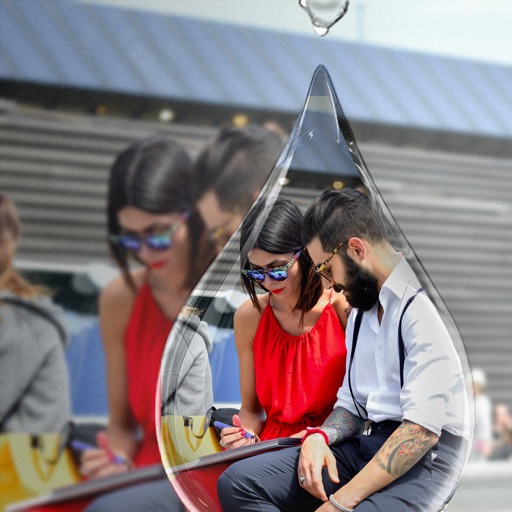
Edit photos with PIP frames, collages, and creative layouts. Add crystal bottle patterns and cartoon styles. Share edited photos directly to social media. Adjust brightness, contrast, and colors. Crop and rotate images.
Edit photos with filters, cropping, and adjustments. Add text, stickers, and layers. Create collages with 500+ grid templates supporting up to 9 images. Design stories with templates and grids. Cut out photos and add backgrounds.
Create personalized by adding your own images. Choose from a variety of to design collages. Decorate and customize photos with available templates. Share finished collages with friends and family.
Capture and edit photos with in- filters and stickers. Print photos using a compatible instant printer. Share images and videos via social networks. Create augmented reality videos from single photos.
Edit photos with New and collages. Add text and custom greetings. Create cards for wishes. Decorate images with realistic effects. Share edited photos directly.
The app allows users to print JPEG images from their device or take new photos for printing. Users can select partitioning options for 1, 4, or 10 images per sheet and print up to four copies at once.
Create collages by selecting photos and applying various . Choose from different frame styles to customize the layout. Adjust image positions and sizes. Save and share the final .
The app allows users to combine multiple photos into a single collage. Users can select from various layouts and frames, add captions, and apply special effects.
Create Passport, Visa, or ID photos by selecting a country and using the device camera or photo library. Adjust photos to meet ID requirements for 80+ countries. Share, save, or print photos directly. Print via local or networked printer.
Create -themed collages using 100+ available frames. Add text with customizable fonts and colors. Adjust opacity and rotate images. Select photos from gallery or camera. Apply effects to enhance visuals.