Apps Like Split Pic : Pic Collage for iPhone and iPad
Edit photos, create collages, combine videos
Create collages with multiple layouts and effects. Combine photos from gallery or camera. Merge videos into single clips. Add transitions and effects. Edit images with cropping and filters. Share finished collages directly.
by Peter Jones★ 4.41,662 ratingsPhoto & VideoFreeData updated 2026-09-19
Create collages with adjustable layouts and customizable frames. Crop, filter, and adjust speed. Add background music and preview instantly. Export in high resolution and share directly.
Create collages using 100+ 2D/3D frames. Add images from gallery or camera. Adjust opacity and rotate photos. Include text with custom fonts and colors. Apply effects to enhance visuals. Export and share finished collages.
Create collages and edit photos with cropping, filters, and text. Add stickers and remove backgrounds. Edit videos, create slideshows, and design invitations. Share directly to Instagram with hashtag management.
Create social videos using professional templates for Instagram, Facebook, and other platforms. Upload photos and clips from your device. Design collages and layouts with pre-made templates. Add animations and transitions.
Create freestyle collages with customizable layouts and postcard templates. Edit with advanced tools, apply multiple effects, and use beauty editing for men and women. Add stickers, labels, and export high-resolution images.
Create photo collages and video slideshows with customizable layouts, colors, and patterns. Add text, filters, and music. Edit photos with object removal, skin softening, and blur effects. Include stickers, outlines, and background adjustments.
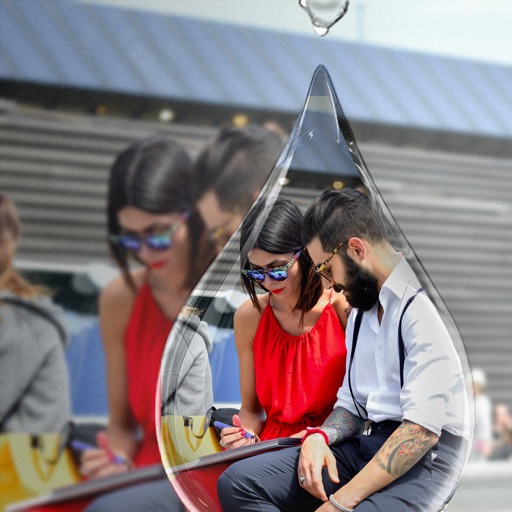
Edit photos with PIP frames, collages, and creative layouts. Add crystal bottle patterns and cartoon styles. Share edited photos directly to social media. Adjust brightness, contrast, and colors. Crop and rotate images.
Convert videos into interactive Photos for the lock screen. Combine clips from multiple videos to create custom animations. Apply filters and effects to enhance visual appeal. Save and share Photos directly from the .
Edit photos with 200+ filters and AI art effects for enhanced visuals. Adjust brightness, contrast, and saturation. Add text, stickers, and animated effects. Export in various formats and share directly. Apply AI flash for vintage aesthetics.
The app offers over 1000 effects, including AI art styles, background replacement, and makeover options. Users can create unique photo montages and collages with a built-in editor and share their creations.
Create collages by arranging photos, stickers, and text. Use dozens of templates and customize layouts. Add text with cool fonts and apply filters. Export and share finished collages.
Create collages in custom sizes. Choose from 300 layouts. Place images manually or automatically. Export for video, social media, or printing. Set dimensions for specific paper sizes. Share or save collages directly.
Create collages by adding personal photos and selecting from various . Design layouts with text, stickers, and effects. Export and share finished collages directly.
Photos with clipping tools to remove backgrounds, apply predefined effects like glitch and duotone, and enhance images with magazine-level touch-ups. Add text, stickers, and unlimited undo/redo features.
The app provides layouts, backgrounds, and frames for designing photo collages. Users can select templates, upload photos, and adjust them with effects, resizing, or rotation.
Edit photos with 220+ filters across 14 themes and add film-style analog effects. Apply textures for mood and light leaks. Create video stories using hundreds of templates. Edit videos with basic tools and share directly to social media.
The app allows users to create Hollywood-style trailers and movies with titles, transitions, and music. Users can select albums or groups of videos and images, and the app will create a video with no editing required.
Capture photos with real-time grid lines and flash settings. Use one-touch beautification for selfies. Access weekly updated filters and collages. Add stickers and create collages. Share edited photos directly.