Apps Like Split Pic : Pic Collage for iPhone and iPad
Edit photos, create collages, combine videos
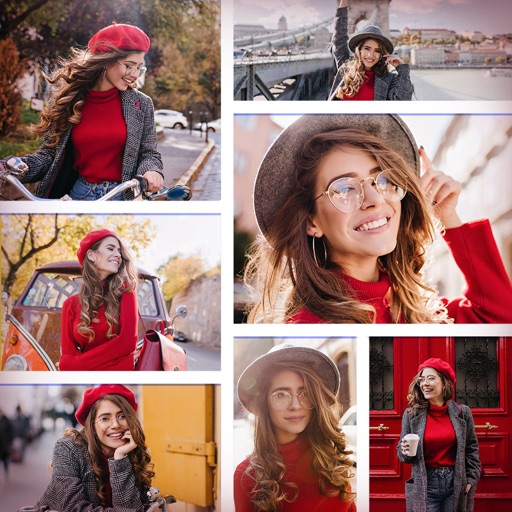
Create collages with multiple layouts and effects. Combine photos from gallery or camera. Merge videos into single clips. Add transitions and effects. Edit images with cropping and filters. Share finished collages directly.
by Peter Jones★ 4.41,662 ratingsPhoto & VideoFreeData updated 2026-09-19
Create collages by importing images from the camera roll. Combine photos using hundreds of . Adjust and rotate individual images. Add text and artwork with Pro. Share collages on Instagram.
The app allows users to create HD videos and photo collages with music, AI effects, and voice-overs. It supports up to 12 frame collages, 30-minute videos, and 4K resolution sharing.
Edit photos with filters, cropping, and AI enhancements. Adjust colors and brightness. Add text, stickers, and overlays. Create collages and cards. Edit videos with trimming, transitions, and effects. logos, flyers, and social media content.
Create collages by combining multiple photos and videos. Choose from , poster, or editor modes. Adjust layouts, add effects, and stitch content together. Edit images with filters, cropping, and text overlays.
Create collages by combining pictures, videos, or a mix of both. Choose between sequential or delayed video playback. Use built-in layouts or design custom ones. Select from 1:1, 9:16, 3:4 ratios or set custom proportions.
Create collages and grids from photos and videos. Choose from 100+ templates or design custom layouts. Add frames, adjust elements, and save or share finished projects. Export for print or social media platforms like Instagram and TikTok.
The app helps users create aesthetic photo collages, scrapbook memories, and social media designs using AI-powered editing tools and creative templates. Users can design Instagram posts, stories, reels covers, and more.
Edit photos and videos with filters, effects, and advanced tools. Remove backgrounds, create collages, and design mood boards. Access AI-powered features for art generation and scene switching. Export and share edited content in multiple formats.
Create collages by arranging multiple photos in predefined shapes. Choose from 100+ categories including hearts, animals, and flowers. Automatically place photos within selected shapes. Export finished collages.
Combine photos into a single collage with 50+ layout options. Add exclusive stickers, backgrounds, and frames. Adjust layouts, crop, and rotate images. Include text to personalize and share the final design.
Create collages by selecting photos and choosing from templates. Add backgrounds, colors, doodles, and stickers for customization. Share collages directly to social media profiles.
Create collages by combining multiple photos into layouts. Choose from 50+ grid styles and tree or 3D modes. Edit photos with cropping, filters, and text addition. Share finished collages directly.
Create photo collages using 20,000+ layouts and frames. Combine up to 16 photos in customizable grids or freestyle arrangements. Add text with 1,000+ font styles. Edit layouts, adjust frames, and export collages.
Edit photos with filters, cropping, and adjustments. Add text, stickers, and layers. Create collages with 500+ grid templates supporting up to 9 images. Design stories with templates and grids. Cut out photos and add backgrounds.
Create collages by combining up to 20 photos with backgrounds, stickers, and drawing tools. Apply filters, borders, and fonts to enhance images. Share collages on Facebook, Instagram, and other platforms.
Edit photos with HSL adjustments for precise color control. Resize images to fit various frame ratios or remove frames. Add blur effects to backgrounds. Create collages from multiple photos. Apply filters, crop, and adjust brightness and contrast.
Create collages by merging up to 20 photos with frames, stickers, and text. Adjust borders, add pattern backgrounds, and use shapes for flyers and posters. Share creations on Facebook, Instagram, and other social media.
Trim and shorten clips, split or merge videos. Apply filters, adjust brightness and contrast. Add text, stickers, and effects. Use keyframe animation, slow-motion, and chroma key. Remove background, add auto captions, and convert text to speech.
Create layered collages by combining images with one click. Add special effects to draw or erase . Apply filters and frames to enhance visuals. Share finished blends directly to Instagram.