Monitor and control security devices such as video doorbells, lights, and lanterns. View live feeds, receive alerts, and check on your home remotely. Adjust settings, create scenes, and trigger devices using voice commands.
by Globe Electric Company Inc★ 4.74,954 ratingsUtilitiesFreeData updated 2026-09-19
Control home devices with one tap. Turn lights on or off, manage appliances, and monitor chargers. Adjust temperature remotely. Play music and access user-friendly navigation for quick setup.
Manage smart devices by turning them on or off remotely. Create automated schedules for device operations. Connect to voice assistants for voice control. Monitor device status and settings through the .
Manage and control IoT devices remotely, including lights, curtains, and TVs. Connect via voice with Google Home Assistant and Alexa. Receive notifications, set automatic scenes, and organize devices. Setup a personal server for device control.
Allows users to stream IP footage with low latency and high quality. View live feeds from multiple cameras. Record and save video clips. Access settings and adjust parameters. Receive motion alerts and notifications.
Control smart home devices including Bang & Olufsen audio and TV systems, motorized curtains, adjustable lights, and security cameras. View live camera feeds and manage device settings.
Monitor cameras, view live feeds, access recordings
Monitor and multiple cameras remotely. View live feeds and access recorded footage from anywhere with internet. Receive push notifications for motion detection. Integrate with Amazon Echo and Google Assistant for voice commands.
View live video feeds from home, shop, or office in real time. Access historical video recordings. Receive alarm notifications. Manage user permissions for device access. Use full-duplex intercom to communicate bidirectionally.
Syncs data with Apple Health. Remotely control appliances and security systems. Manage multiple devices within the . Share devices with family members with one tap. Connect devices quickly and easily.
Manage devices remotely via internet. Control lighting, temperature, and security systems. Set up devices with wireless connection. Monitor with live CCTV feeds and motion-activated recordings. View baby monitor videos in real-time.
Manage home access via smartphone. View visitors through motion-activated cameras, respond to doorbells, and receive real-time video. Use two-way audio to communicate and grant access with unique PIN numbers.
View real-time video from IP cameras connected via . Receive motion alerts and review recorded footage. Monitor family members, pets, or property for security. Check in on homes remotely anytime. Control camera settings and manage multiple devices.
Control connected devices and manage smart settings. Adjust floor plans, nickname devices, and create automations and alerts. Add custom photos to personalize the interface.
Control lights, appliances, and view visitors remotely
Control home devices with one tap to turn on lights and appliances. View who is at the front door. Integrate with Echo speakers for voice-activated appliance control.
Manage home network settings with device tracking and guest network setup. Monitor bandwidth usage and run speed tests. Enable parental controls and security features. Integrate with Amazon Alexa for voice commands.
Remotely control smart devices like cameras, alarms, and appliances. Add and manage multiple devices simultaneously. Use voice commands with Google and Amazon Echo. Automate device operations based on temperature, location, and time.
Control home appliances remotely via phone. Set automation rules and schedules. Create user accounts and customize room layouts. Use voice commands with Siri, Alexa, or Google Assistant. Monitor energy usage and adjust settings from anywhere.
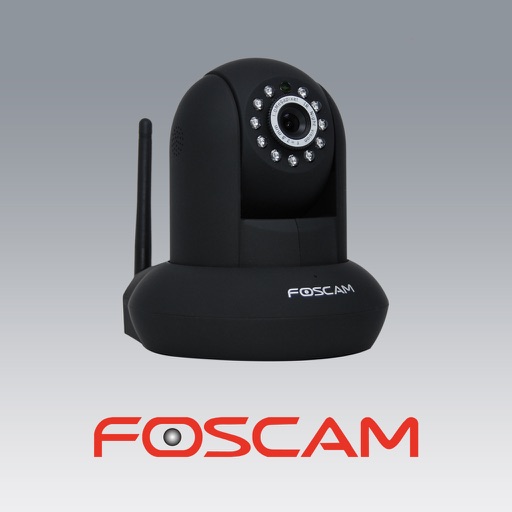
The app allows users to view and control Foscam IP cameras from an iPhone or iPad. Users can watch their home, kids, and pets remotely with a 3G or WiFi connection.
Control and monitor home devices remotely. Adjust lighting, manage curtains, and operate appliances. Receive security alerts and view camera feeds. Add switches, sensors, and locks to create a customized home automation system.