Create -outs by removing backgrounds automatically. Preserve facial features with recognition. Crop and resize images with percentage scaling. Save as transparent PNG or custom background JPG. Generate outlines around subjects.
by Boudewijn Krijger★ 0.00 ratingsGraphics & Design$7.99Data updated 2026-09-19
Edit photos with filters, cropping, and adjustments. Add text, stickers, and layers. Create collages with 500+ grid templates supporting up to 9 images. Design stories with templates and grids. Cut out photos and add backgrounds.
The app allows users to create commercial art mockups by uploading artwork and selecting from customizable interiors. Users can enhance portfolios, stand out on social media, and impress collectors with professional art mockups.
Images using ControlNet AI models by uploading a picture and entering a prompt. Select from eight available models to guide the output. and optimize generated visuals within the .
Edit photos with AI-powered enhancement, colorization, and object removal. Adjust lighting, sharpen details, and correct imions. Apply filters and restore old photos. Export edited images in various formats.
Enhance photos with AI-based clarity and detail. Remove blur and improve lighting. Edit vintage photos for modern clarity. Share enhanced images directly. Apply filters and adjust colors. Export in high-definition formats.
Create ID photos with customizable sizes and background colors. Adjust face position and proportions. Export in standard formats. Apply one-click editing for professional results.
Edit images to remove backgrounds using AI. Cut out objects and replace them with new backgrounds. Adjust edges for smooth transitions. Share edited images directly.
Cut long videos into precise segments for . Trim selected parts with accurate timing. Export clips to share on , Twitter, Facebook, Instagram, Snapchat, and TikTok. Save edited videos to device storage.
Using a wide selection of fonts and customize color and background. Place boxes anywhere on the image and adjust styling for personalization. Save and share edited directly.
Edit photos with filters, collages, and stamps. Add text and stickers. Save to albums. Share directly to blogs and social media. Apply toy camera effects. Adjust brightness and contrast. Crop and resize images.
Create custom charts for crafts like cross stitch, bead weaving, knitting, and pixel art. Draw dotted images and design patterns with an intuitive touch interface. Export charts for use in projects.
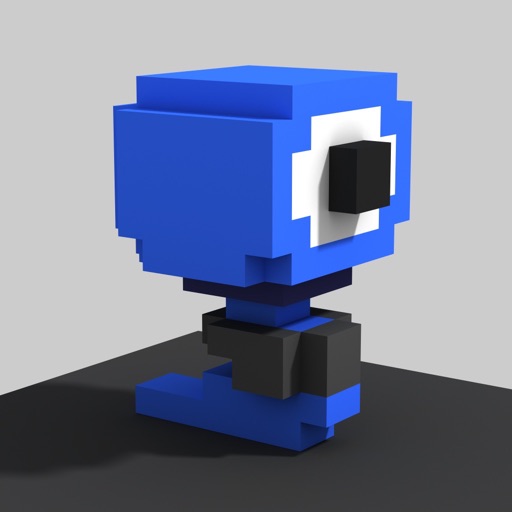
Create and edit art with intuitive controls. Use advanced tools for detailed modeling. Import and export models in formats like VOX, OBJ, and JPEG. Move, rotate, and duplicate voxels. Cut, copy, and paste parts of models.