FITNESS TRAINING GLOBAL ONE MEMBER COMPANY LIMITED
Sketch with AR and AI
AR – Project sketches onto real-world surfaces using augmented reality. objects for precise outlines. AI-powered tools suggest color palettes and brush strokes. Edit layers, adjust opacity, and apply effects.
Convert images to JPEG or PNG formats. Supports HEIF/HEIC and common types. Converted files are saved to the Photos with automatic album creation for JPEG or PNG. No ads.
Create and edit drawings with brush, blur, eraser, fill, pen, pixels, procedural, select, smudge, text, and vector tools. Work with hundreds of layers. Participate in daily drawing challenges, competitions, and collaborative co-ops.
Convert static images into dynamic videos using generative AI. Add text to images for visual storytelling. Apply trending AI presets to enhance creativity. Edit and export videos directly from the .
Create unique wallpapers tailored to your preferences. nd save custom images for your device homescreen. Export high-resolution files for various devices including Apple Watch and 5K displays. Choose from 20 different styles.
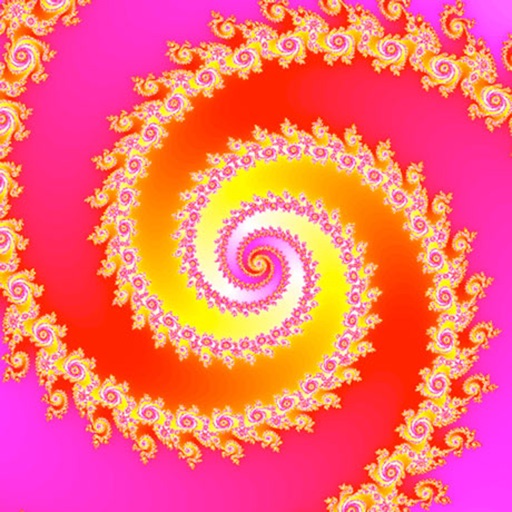
Create fractal art in real time by adjusting color, texture, and shape. Apply Mandala and Kaleidoscope effects. Animate position and color for flythroughs. Explore various fractal patterns and customize visual settings.
Edit photos by adding speech bubbles with 15 styles and customizable colors and fonts. Create collages with comicbook-style layouts. Share photos directly from the . Drag, rotate, and pinch elements for editing.
Convert raster images to editable drawings with custom filters for various styles including grayscale, two-tone, Pop-Art, and polygonal shapes. Edit vectors with advanced tools, adjust colors, and save or share the results.
Edit photos with background erasing and replacement. Remove backgrounds automatically or manually using AI. Replace backgrounds with custom images, colors, gradients, or textures. Adjust and enhance images with precise editing tools.
Create and edit videos using AI-generated effects and animations. Adjust audio with intelligent tools. Export final projects in various formats. Collaborate in real-time with others on shared projects.
Convert images to JPEG, JPG, or PNG formats. Support for multiple file types including HEIC, APNG, GIF, and WebP. Batch conversion of multiple images at once. Transparent colors in JPG conversions become white. No mention of name.