Apps Like PerfectCrop: Image Splitter for iPhone and iPad
Split photos and resize images
Crop and split photos into two sections or use custom crop settings for panorama images. Resize images as needed and save them to the photo library without watermarks or logos.
by Thomas Lojko★ 4.2194 ratingsPhoto & VideoFreeData updated 2026-09-19
Create collages and edit photos with cropping, filters, and text. Add stickers and remove backgrounds. Edit videos, create slideshows, and design invitations. Share directly to Instagram with hashtag management.
Edit photos with and frame tools. Add text and customize borders. Export high-quality images without watermarks. Share directly to Instagram and WhatsApp. Save photos in high resolution. Use built-in text . No watermark added. Works offline.
Create and share photos and videos for social profiles. Add captions and copy them to posts. Use hashtags to increase engagement and follower growth. Edit reels, stories, and posts with an intuitive editor.
Search images by uploading a photo to find similar images online. View websites containing the and access different sizes. Results depend on how widely the appears on the web.
With filters, cropping, and adjustment tools. Apply beauty enhancements and double exposure effects. Use color splash and resize images. Access frames and story templates. Change resolution and export in multiple formats.
And compress multiple photos at once to free up storage. Print photos at actual size with inch, cm, or mm measurements. Rotate, flip, and crop multiple photos simultaneously. Convert photos to JPEG, PNG, or HEIC formats and share them directly.
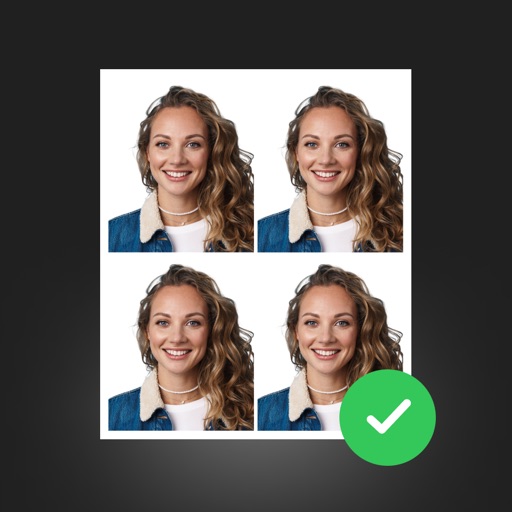
Create professional ID photos with AI tools. Automatically detect faces and remove backgrounds. Resize and crop portraits to fit official sizes. Support multiple countries' requirements. Generate printable -sized images for children and adults.
Edit photos with text addition, drawing tools in multiple colors, and cute icon placement. Crop images using various ratios. Export edited photos in different formats.
Resize photos to format without cropping. Apply filters, add text, emoji stickers, and customize background effects. Share directly to social media platforms.
The app allows users to print photos from their iPhone or iPad. Users can select an image, choose a layout, and scale or crop it to fit multiple A4 pages for poster creation.
Create Instagram using customizable templates like puzzle, checkerboard, frames, panorama, diagonal, and line in the middle. Adjust colors, add text, and export directly to Instagram.
Resize images by custom dimensions with aspect ratio lock. Crop using freeform or preset ratios. Compress files to reduce size without quality loss. Convert to JPG, PNG, HEIC, or WEBP formats. Rotate and flip images with quick options.
Faces between two photos by selecting them from the camera roll or camera. Process the and share the result. Use editing tools to crop, add images or text, draw, scale, rotate, and delete objects. Apply animations and customize colors.
Upload photos directly to Instagram, Facebook, and other social networks without cropping. Choose a background and share instantly. Save photos to device for later sharing. Create images without resizing.
Edit photos with smart foreground recognition to isolate subjects. Add customizable with options for font style, size, color, opacity, alignment, spacing, shadow effects, and background colors. Crop images using an easy-to-use tool.
Edit photos with 12 blend modes including overlay, multiply, difference, and exclusion. Combine foreground images from a growing library of over 400 options. Export and share edited creations.
Resize images to 480x640 pixels without internet. Select photos from the library. Adjust up or down. Export resized images directly. No internet required for resizing. Simple interface for quick adjustments.
Objects, people, or blemishes from photos. Edit backgrounds and save as PNG or JPG. Crop images, add text, filters, logos, or watermarks. Use one-click background removal and clipping tools.