Nd play test tones including sine, rectangular, triangular, and sawtooth waves. Create and play frequency sweep tones in ascending and descending directions. Adjust frequency, amplitude, and duration settings.
Boost video up to 1500% and enhance audio quality. Save edited videos to Photos or Files. Share results via social apps. Supports common formats like MP4 and MOV. Retains original video quality. Stores history of all edits.
Use a microphone to create live or recorded loops with trigger modes via keyboard. Process sound with bit and sample crusher, delay, and flanger. Play using a 25-key dynamic keyboard or core MIDI.
Record with multitrack support, add and edit files across tracks. Record voice and instruments in high quality without limits. Use basic editing tools to cut, copy, and paste . Save files in various formats.
Control your TV with iPhone or iPad. Navigate menus and apps using a smart thumb pad. Connect via Wi-Fi for quick setup. Adjust volume, switch channels, power on/off, mute, and toggle inputs. View paired devices list.
Control volume, play and pause songs, adjust tempo, mute or unmute the keyboard, and select preset settings. Sync with the Yamaha Music In Education™ General Music Keyboard Lab for real-time adjustments.
Apply convolution reverb using impulse responses from real spaces or hardware. Adjust parameters for decay, pre-delay, and EQ. Blend multiple reverb types. Export processed audio files. Sync with DAWs for mixing and mastering.
Record audio with high-quality capture. Pause, rewind, and overwrite recordings during sessions. Play back files, trim segments, and share directly to social media platforms.
Record and playback audio through USB inputs and SPDIF ports. Adjust gain and preamp settings for precise control. Monitor and manage audio levels via a 7-inch touchscreen interface.
Create immersive soundscapes by adjusting Size and Overdrive for rich reverb and distortion. Morph between soft-clipping and hard-ripping overdrive. Use Wobble for eerie effects and Ribbon for precise control.
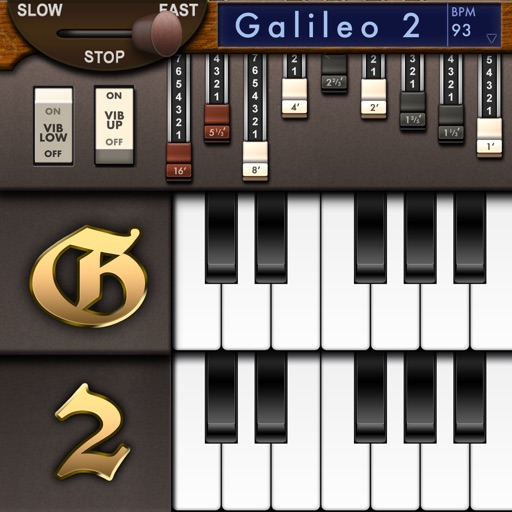
Create and customize sounds with 17 different types. Configure three manuals independently. Use scanner vibrato and chorus effects. Simulate rotary cabinets and tube amplifiers. Access AUv3 plugin for integration.
Use iOS device as a live microphone for stereo systems or Bluetooth connections. Create karaoke tracks with synced lyrics in any language. Convert speech to text with AI. Record performances automatically with a single button.
Edit audio with vibrato chorus effects and multi-stage filters. Adjust stereo field positioning and texture. Integrate with Audio Unit hosts or DAWs for real-time processing. Document and control Audio Unit parameters within the .
The app allows users to play back multitracks, loops, and click tracks for worship or rehearsal. It offers features for changing song keys and tempos, customizing arrangements, and managing setlists with click track metronomes.