Duplicate Photo & Video Remover deletes redundant media files to free up storage. Contact Organizer removes duplicate and empty entries from the address book. Secure Stor provides encrypted storage for sensitive data.
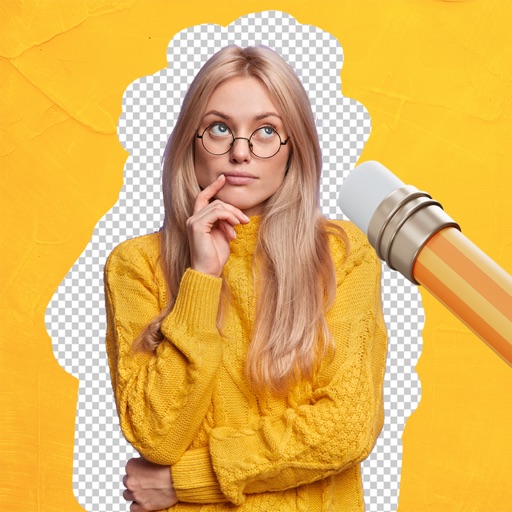
Remove backgrounds from images using AI-powered tools. Select areas to erase and automatically cut out subjects. Export as transparent PNG files. Adjust edges and refine results manually. Share edited images directly.
Remove unwanted objects from photos with a single touch. Erase background elements like trash cans or poles. Edit selfies by removing distracting figures. Save and share edited images directly.
Remove backgrounds from images and create transparent or colorful alternatives. Edit colors, apply filters, add borders, and include text. Save edited photos as high-quality PNG or JPEG files.
Create social media posts, flyers, collages, logos, and wallpapers with drag-and-drop tools. Use pre-designed templates for Instagram, Facebook, and phone wallpapers. Add text, images, and graphics.
AI Cleaning identifies and deletes unnecessary files, cache, and duplicate photos to free up memory. Cybersecurity provides personalized tips for improving digital . Duplicate Photo Remover finds and removes duplicate images.
Edit photos with cartoon-style anime filters and portrait transformations. Colorize black-and-white images using AI. Remove or replace backgrounds with one tap. Enhance skin tone and texture with AI-powered retouching.
Edit photos with AI-powered tools for skin smoothing, background blur, and object removal. Adjust colors, brightness, and contrast. Crop and resize images. Add text, frames, and stickers. Export in various formats and share directly.
Edit photos with AI filters, text overlays, and background removal. Generate images from text descriptions. Create future baby visuals by uploading photos. Apply AI filter packs for artistic effects. Save and share edited photos directly.
Objects, people, blemishes, and pimples from photos using AI-powered erasing. Edit images by selecting areas to . Save and share modified photos directly. Subscribe to access advanced erasing features with automatic renewal.
Photos and organize the gallery by swiping to delete duplicates, blurry images, or screenshots. Remove clutter and free up space with one-tap actions. Reclaim device space efficiently without manual selection.
Edit photos by selecting images from the library and using an adjustable brush tool to mark areas for removal. The employs inpainting algorithms to seamlessly eliminate unwanted elements and blend the background.
Photo backgrounds using AI-powered object recognition and automatic cutting. Edit images to create transparent backgrounds. Erase objects or elements with realistic results. Save and share edited images directly.