The app allows users to add background music and sound effects to short-form videos. Users can record voice-overs, add multiple music tracks, and trim audio or video clips.
VideoCrop allows users to and cut clips. They can add text overlays and background music. The supports exporting videos in various formats and sharing them on social media platforms.
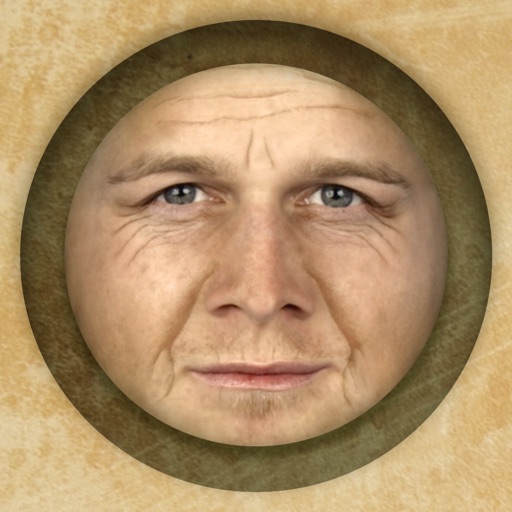
Predict how faces will look as they age. Upload photos to generate aged versions. Adjust aging intensity and style. Share results via email, messaging apps, and social media. Includes features like shaking to trigger aging effects.
Create and manage unlimited projects with color-coded timelines. Share and export assets via the file manager. Support 4K on iPhone SE and later, iPad Pro. Add unlimited clips, audio tracks, voiceovers, and text overlays.
Cut long videos into precise segments for . Trim selected parts with accurate timing. Export clips to share on , Twitter, Facebook, Instagram, Snapchat, and TikTok. Save edited videos to device storage.
Edit videos with controls including focus, exposure, ISO, and white balance. Apply slow motion, speed up, add borders, filters, text, music, blur, emojis, and stickers. Share directly to YouTube, Facebook, Snapchat, Twitter, and Instagram.
Create videos with trimming, transitions, and text overlays. Add music and effects. Export in 4K without watermark. Save drafts and manage projects. Record high-quality clips up to 10 minutes. Share directly to social platforms.
Add live effects to photos and videos. Apply favorite effects to create dynamic content. Share directly via text, Facebook, or Instagram. Edit and customize selfies with interactive elements.
And edit videos and photos in any size or ratio quickly. videos to format with pinch, zoom, and drag features. Add keyframes for creative control. Adjust speed, apply slow motion, reverse, or freeze frames. Resize, rotate, and fill backgrounds.
Create content for social platforms using 1,200+ templates. Edit videos with effects, transitions, and text overlays. Resize videos and share directly to Instagram, TikTok, and other platforms.
Create and edit photo and video content with scroll-stopping filters and effects. Use award-winning templates and design tools in the Studio. Share content directly to social platforms. Monetize social presence through integrated features.
Create videos with daily updated and Story . Trim, cut, merge, and adjust speed of clips. Add music, sound effects, and stylish filters. Export in formats for social media platforms. Edit with a simple interface requiring no advanced skills.
Create slide shows from photos with transitions and background music. Organize images, adjust photo duration, and add personal songs. Share videos on social media or save to the camera roll.
Create collages from photos and videos for social media posts, stories, and thumbnails. Edit videos with trimming and grid layout options. Add blurred backgrounds without cropping. Share content directly to platforms like Instagram and TikTok.
Manage multiple media accounts in one . Post and browse content across Facebook, Messenger, Instagram, Twitter/X, LinkedIn, Reddit, Snap, TikTok, and others. Block ads and trackers. Save device storage, battery, and mobile data.
Yue-Jie Innovations Science and Technology Co. , Ltd.
Edit videos with AI templates
Edit videos with AI-powered tools and pre-designed templates. Trim and merge clips. Add text, music, stickers, effects, and transitions. Use Inspire Cam for professional-style shooting. Export final videos in multiple formats.
Edit photos and videos using AI to generate artistic visuals. Apply dynamic transitions between original content and AI-enhanced effects. Share edited media directly to social platforms.