Manage and control multimedia player programs remotely. Edit and reconstruct content, replace materials, and switch programs in real time. Adjust brightness, color temperature, and volume. Support iPhone and iPad running iOS 10.0 or later.
by Beijing KYSTAR Technology Co.,Ltd★ 5.01 ratingsUtilitiesFreeData updated 2026-09-18
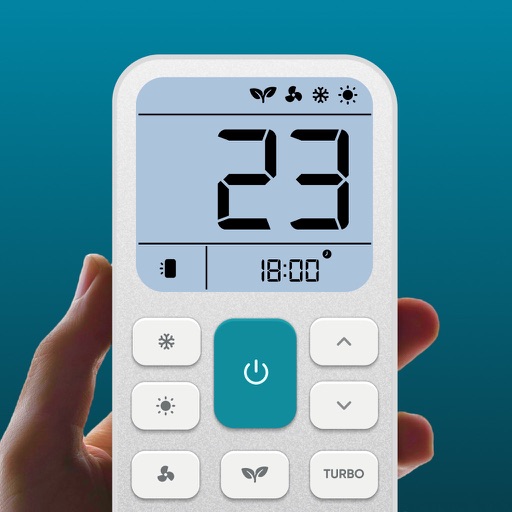
Control air settings from a smartphone. Adjust temperature, switch modes, set timers, and change fan speed. Connect to multiple AC units. Compatible with various brands. Manage cooling or heating remotely. View and adjust schedules.
Control lights, adjust settings, group lights, save
Control Bluetooth-enabled lights to adjust brightness and color temperature. Group lights into sets and save custom settings for quick access. Remotely power lights on/off, set blackout mode, and monitor battery levels.
Control TV functions like volume and channels via smartphone. Access favorite apps and services from a media center interface. Support for all basic TV operations. Includes dark mode for nighttime use.
Control lighting, dimming, and color via Bluetooth
Control power and dimming levels for automotive LED lights. Adjust color settings on RGB devices. Set and recall preset lighting options. Connect via Bluetooth 4.0 or higher.
Control Smart TV functions including power, channel changing, volume, and input selection. Navigate menus, adjust settings, and use voice commands. Pair with iPhone for operation without a physical .
LED lights via Bluetooth. Adjust color temperature and brightness in real time. Customize lighting settings through a simple interface. Sync with an LED controller for direct management.
Display internet and data usage in Notification Center and Lock Screen. View daily usage statistics and billing cycle status through widgets. See live internet and historical usage graphs.
Control switchers, record videos, edit clips, manage
Control live video productions with switcher functions, macros, audio, media, and editing tools. Manage transitions, layouts, and shortcuts. Record and stream directly from the device.
Control brightness and adjust screen brightness automatically. Set timers with specified duration or target time. Use legacy mode for version 5.0 experience.
Control playback of backing tracks from a device. Connect via a 4-digit passcode. Manage volume, pause, and queue songs. Up to 5 iOS devices can connect simultaneously. Switch between tracks and adjust settings from the .
Control Greenworks devices including robotic vacuums. Schedule and customize device settings. Monitor activity and share access with family members. Connect and program products through the .
Stream live TV, movies, and series from IPTV providers. Cast content to TV boxes from a phone. Use voice search to find shows. Control playback remotely. Access catch-up programs and watch offline.
Control compatible car multimedia receivers via Bluetooth. Select radio stations or USB music tracks from the rear seat. Display source information on the smartphone screen. Use gesture controls for play, pause, skip, and repeat in drive mode.
View live feeds from IP cameras. Adjust image brightness and contrast. Flip or mirror images. Control LED and infrared functions. Select compatible models from a list.
Control device via WiFi or Ethernet network. Specify IP address during first launch to establish connection. Adjust settings, navigate menus, and manage recordings remotely from iOS device.
Access real-time schedule updates for program activities. View event details, set reminders, and receive notifications about upcoming sessions and changes.
Control SmartTVs, MediaCenters, and STBs with a remote. Navigate menus, play/pause content, and adjust volume. Support includes LG WebOS, Samsung, Roku, Kodi, Plex, and Fire TV devices. Pair with iOS or WatchOS devices for wireless operation.
Control RGB LED lights with color, brightness, and temperature adjustments. Set flash patterns, sync to music, and create custom flashing sequences. Adjust color temperature and brightness levels.