Take , collaborate in real time, and organize content automatically. Save work instantly and access it anytime. Share and edit documents with classmates or colleagues remotely. Track progress and manage tasks efficiently.
Learn to create spreadsheets, use formulas, charts, and functions in MS . Format cells and manage data analysis tasks. Access essential keyboard shortcuts for Windows and macOS. View shortcuts while working on spreadsheets.
Solve problems by typing or scanning equations. Receive step-by-step explanations and solutions. Cover topics including mechanics and thermodynamics. Learn concepts through detailed breakdowns and examples.
Photos and scanned documents into PDF files. Edit images with filters, crop manually or automatically, and adjust to black and white or grayscale. Share PDFs via email or other supported methods.
Explore Yerushalmi texts in Hebrew and English. Click on text to view commentaries, translations, and additional biblical sources. Access detailed explanations and related references within the .
Create and organize ideas in notebooks. Annotate PDFs and use unlimited whiteboards for brainstorming. Jot down inspiration or read materials with a clean, intuitive interface. Save and manage content without complex controls.
Create personalized early worksheets by capturing a child’s and integrating it into printable activities. Customize worksheets with images, text, and interactive elements. Share completed worksheets digitally or print for offline use.
Convert handwritten documents into digital notes by snapping photos. Annotate and scribble on images or notes. Organize and store notes digitally. Sync across devices for seamless access. Share notes directly or export in multiple formats.
Edit PDF text and images. Draw on documents with Apple Pencil. Convert images to text using OCR. Collaborate in real time. Fill and sign PDF forms. Highlight and annotate pages. Use widgets for interactive content. Export and share edited documents.
Perform to sum two numbers. Generate worksheets for practice. View step-by-step calculations. Save and share worksheets. Adjust number ranges and difficulty levels.
Create worksheets by setting the number of questions and range of numbers. Generate unique problems each time. Save, print, or share worksheets directly.
Effortless PDF annotation and collaboration tools.
The app offers effortless PDF annotation with an intuitive interface. It provides fast document review using a thumbnail sidebar and supports sharing annotations with other users.
Convert paper documents and images to PDF or JPG formats. Use OCR to recognize text automatically. Save files in multiple formats including PDF and JPEG. books, receipts, notes, and business cards in high quality.
The app captures and organizes handwritten notes and sketches. It offers hybrid visualization technology for sharp, editable drawings and supports Apple Pencil.
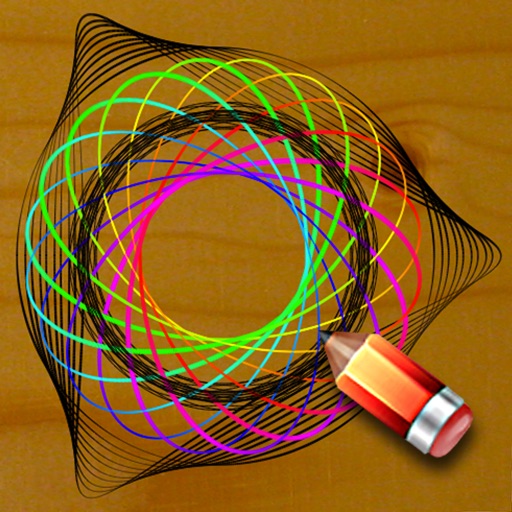
Practice handwriting, draw spirals, strengthen motor skills
Practice handwriting with customizable drawing tools. Adjust painting speed for different skill levels. Use varied colors, thickness, and calligraphy effects to enhance motor skills and penmanship accuracy. Track progress through repeated exercises.