Apps Like Eraser: Remove Objects Removal for iPhone and iPad
Remove from photos
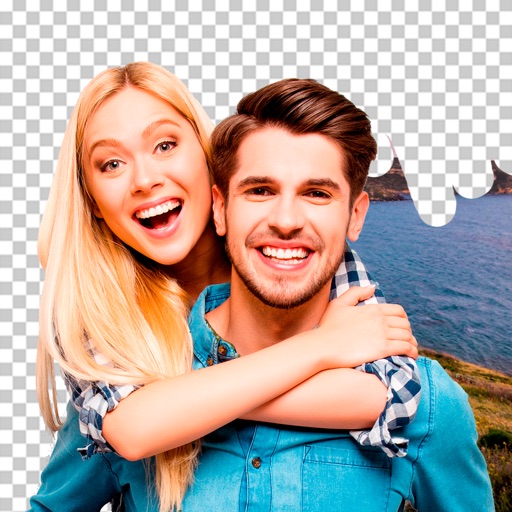
Remove backgrounds from photos to create transparent images. Highlight the subject and replace the with a new image. Adjust transparency and export the edited photo.
by PROTOOLS LLP★ 4.51,046 ratingsGraphics & DesignFreeData updated 2026-09-18
Remove unwanted backgrounds or objects from photos. Edit images to make backgrounds transparent. Add custom backgrounds for improved visuals. Erase specific areas for enhanced photo quality. Save and share edited images directly.
Create and edit images using AI-generated art and editing tools. Transform text into images with AI. Adjust colors, crop, and apply filters. Save and share edited images directly.
Remove backgrounds from photos using deep neural networks. Cut out people or objects and paste them into new images. Swap backgrounds and save edited images in various formats.
Apply art to photos for creative visuals. Add spiral effects and blur backgrounds. Use emoji art, background art, and outline art to enhance images. Apply AI, cartoon, neon, and mask effects. Create retro, atlantis, and big camera styles.
The app allows users to change a monochromatic background into any image. It offers tools to manually remove backgrounds without a green screen and includes features like auto-enhance, drawing, stickers, text, and various photo effects.
Backgrounds using AI with one tap. photos with effects, blur, and color adjustments. Add text, stickers, and access a weekly updated interface with design themes. Export edited images for e-commerce use.
Edit photos with AI-powered removal and background erasure. Adjust colors, brightness, and contrast. Add text and stickers. Export in various formats and share directly.
Edit photos with AI-powered object removal and background blur. Generate from text using AI. Adjust colors, brightness, and contrast. Add filters and effects. Crop and resize . Share edited photos directly to social media.
Edit photos by removing objects and changing backgrounds. elements to create montages. Adjust transparency and replace backgrounds. Save and share edited images directly.
Edit photos with AI enhance, magic remove, and background change. Create collages and apply filters, templates, and stickers. Recolor old photos and generate text-to-image or image-to-image edits. Share edited photos directly to social media.
Remove unwanted objects, people, or background elements from videos using AI. Select and track moving targets with dynamic tracking. Highlight areas with brush and outline tools. Clean fixed areas like logos or timestamps. Trim and merge segments.
Edit photos with cropping, resizing, and removal tools. Apply filters, adjust colors, and add text overlays. Export images in various formats and share directly to social media or online stores.