Apps Like Sequin Art Flip Simulator 2019 for iPhone and iPad
Color pages with shiny beads
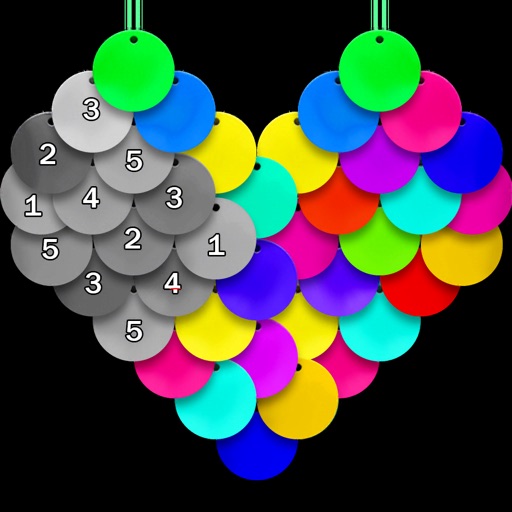
Color pictures using disc-shaped beads to create artwork. Select from various coloring pages. Add beads to fill sections and complete images. Save and share finished creations. Adjust bead placement and colors.
by VECTOR LABS LIMITED★ 4.745 ratingsEntertainmentFreeData updated 2026-09-18
By numbers allows users to select and color pre-drawn images. Tap to fill in numbered sections with chosen colors. Access new daily pictures and save completed artwork. Share creations via social media.
By Number game allows users to select from 25000+ artwork across 60+ categories. Paint boxes using numbers and a palette. Save and share completed colorings. Daily updates add 500+ new artworks. Includes kid-friendly options.
Create and customize art drawings with a variety of colors and tools. Select from pre-designed templates or draw freely. Save and share finished artwork. Collaborate with others in real-time. Learn basic drawing techniques through guided activities.
Create mandalas using watercolor, crayon, and oil paint tools. Add glitters for sparkle effects. Choose from anti-stress coloring pages and creative templates. Save and share finished artwork.
Create paintings by following numbered instructions on printable images. Choose from themed pages like florals and animals. Share artwork with friends. Access new images daily. anywhere using a mobile device.
Create art with vibrant colors and realistic tools. Choose from mandalas, animals, patterns, and florals. Tap to or use the paint bucket for quick fills. Share creations with the community.
Create and digital art with customizable brushes and palettes. Choose from themed pages and paint by number puzzles. Save and share finished artwork. Adjust settings for accessibility and ease of use.
"Create art by selecting colors and filling in picture sections. Complete pre-designed images or customize drawings. Save and share creations. Access a library of themed illustrations for endless sessions."
Create custom mandalas with design tools. Apply photos to pages for personalized artwork. Access over 20 pre-designed templates. Save and share completed artwork. Adjust colors and patterns within the .
Create drawings by combining different art styles. Divide images into sections and apply unique styles to each part. Mix and match colors and patterns to design custom artwork. Save and share completed creations.
Create 3D artwork by coloring voxel-based characters using numbered guides. Select from various 3D coloring pages. Customize colors and save completed designs. Share creations with others.
By allows users to select and pre-drawn images using numbered sections. Features include a library of artwork, monthly updates, and the ability to save and share completed pieces.
Lets users paint mandalas, patterns, animals, florals, and themed images. Upload personal drawings for enhanced visuals. Use AR to view artwork in real-world settings. Create mandalas with simple swipes. Save and share completed artwork.
Create artwork using , gem, flower, and other materials. Select images from various categories and follow numbered steps to complete drawings. Customize colors and save creations. Share finished pieces with others.
Pages feature popular characters from Frozen, Pixar, and Marvel. Users can select from brushes, crayons, and glitter to color. The Magic Color tool fills in sections automatically. Characters can be dressed with customizable outfits.
By with allows users to and recolor images using a grid system. Choose from various themes like animals, flowers, and people. Save and share completed artwork. Adjust colors and patterns freely.
Pages allow users to select and customize colors for each section. Features include saving progress, sharing completed artwork, and accessing a library of themed pages. Users can zoom in for detailed and adjust brush sizes for precision.