Apps Like PicMaker - Photo editor* for iPhone and iPad
Edit photos with filters and effects
Edit photos with filters, effects, and backgrounds. Add stickers and choose from various fonts. Crop, resize, and rotate images. Create square photos and adjust ratios. Share edited photos directly.
Edit photos with cropping, formatting, and collage tools. Apply professional filters, frames, and backgrounds. Use the aging camera to preview future self. Add animated effects and secure vault for private content.
Edit photos with AI-powered toonification, caricature, and Pixar-style cartoon effects. Apply face filters, reface, and adjust digital art layouts. Add backgrounds and export edited images.
Edit photos by removing unwanted background elements. Add romantic and stickers to images. Create collages for Day. Decorate pictures with customizable art tools. Share edited images directly.
Edit photos with drawing tools, text stickers, and customizable colors. Crop with adjustable ratios. Apply filters and effects to change visual styles. Adjust brightness, contrast, and saturation for professional results.
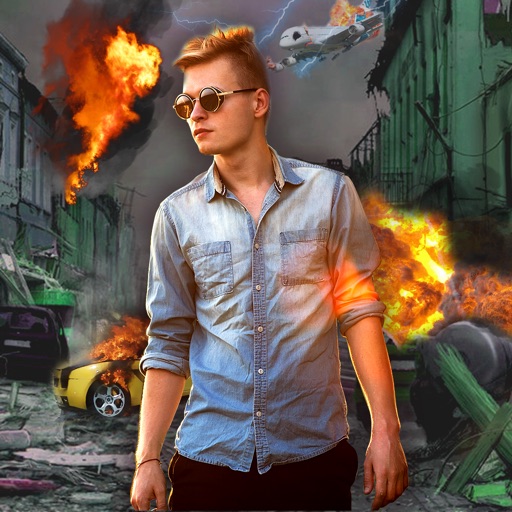
Edit photos with -themed effects like explosions, bomb blasts, and action stickers. Apply customizable FX frames and VFX filters. Decorate images to resemble posters. Share edited photos directly.
Edit photos with background removal, image enhancement, and adjustment tools. Add text, stickers, and filters. Export in multiple formats and share directly.
Edit videos by trimming, splitting, and rearranging clips. Add transitions, background colors, and text. Include music and filters. Crop, zoom, and rotate individual frames. Share finished videos directly.
Edit photos with cartoon filters, line art, and color effects. Adjust brightness, contrast, and saturation. Add text, stickers, and borders. Export and share edited images directly.
Edit photos with splash effects, convert images to black and white, or apply custom colors. Add filters, zoom in on photos, and use a brush tool. Export and share edited images directly.
Create albums and collages with customizable text, fonts, and colors. Add stickers, , and backgrounds. Design greeting cards with personal messages. Edit images with predefined styles and categories. Share edited photos directly.
Face automatically detects and blurs faces in photos and videos. Users can tap to hide or reveal specific faces. The allows cropping, adding filters, text, or stickers. Metadata can be viewed, edited, or removed.
Create with customizable designs organized into categories like birthday, love, and nature. Add background to photos. Edit images by adding text, stickers, and decorative elements. Export and share edited photos.
Edit photos with custom filters and apply effects. Save and share edited images. Set 4K and live lock screens. Choose from categorized backgrounds. Edit and customize photos for personalization. Export and share edited content directly.
Apply AI-generated art filters to photos using style transfer technology. Adjust brightness, exposure, and temperature for fine-tuning. Save and share edited images directly.
Combine multiple photos into customizable frames or collages with 55 adjustable templates. Add rounded corners, effects, shadows, and patterns. Choose colors using an easy color picker. Save projects and share via Facebook, Email, or Twitter.
The app offers tools for photo editing, including auto enhance, meme generation, stickers, frames, and text. Users can adjust color balance, saturation, and sharpness, and crop or rotate images.
Create collages by combining photos into -shaped frames. Apply filters and adjust colors. Share collages directly or save in various formats. Organize memories in a single album.
Remove backgrounds from images using AI-powered tools. Edit photos with filters, cropping, and adjustment options. Add text, stickers, and effects. Export in multiple formats and share directly.