Apps Like PicMaker - Photo editor* for iPhone and iPad
Edit photos with filters and effects
Edit photos with filters, effects, and backgrounds. Add stickers and choose from various fonts. Crop, resize, and rotate images. Create square photos and adjust ratios. Share edited photos directly.
Create collage videos with 50+ layouts. Customize grid ratios, background colors, and border settings. Add text, music, stickers, and filters. Drag and arrange media on a timeline. Apply special effects and adjust layouts for final edits.
Photos by flipping horizontally or vertically. Create reflections and repeating patterns. Apply effects and frames. Design collages with multiple layouts. Export and share edited images.
Edit photos with filters, contrast, brightness, and color adjustments. Add text, stickers, and drawing tools. Customize images and landscapes. Export in high quality. Access a free image library. Apply advanced editing features.
Edit photos and videos with filters, effects, and adjustments. and scale using predefined canvases. Rotate, flip, and blur images. Add text, stickers, and frames. Share full-size content to Instagram and other social media without cropping.
Create -themed collages using 100+ available frames. Add text with customizable fonts and colors. Adjust opacity and rotate images. Select photos from gallery or camera. Apply effects to enhance visuals.
The app offers over 200 overlays and 140 filters to enhance photos. Users can add typography and artworks from a selection of over 700 artworks and 150 fonts.
Create collages using over 50 templates. Customize layouts, add text, and include photos or videos. images with filters, cropping, and manual adjustments. Shoot photos with manual camera controls. Export and share edited content in various formats.
Take selfies with pip effects and apply filters like sepia and vintage. Create collages and edit photos with various effects and frames. Select images or capture new ones and enhance them with pip features. Share edited photos directly.
Edit videos by extracting from Live Photos and combining with standard videos. Add background music and over 50 transition effects. Trim, crop, and edit text within videos. Share the final video directly.
Edit photos with and vintage effects like lights, Miami Filter, and UV. Apply gradient map-based for night lighting. Create abstract designs with colored glass effects. Adjust brightness, contrast, and color balance.
Edit images to remove backgrounds and create transparent images. Use zoom for precise edits. Cut out objects and save as stickers. Export for use in presentations, documents, and image editors.
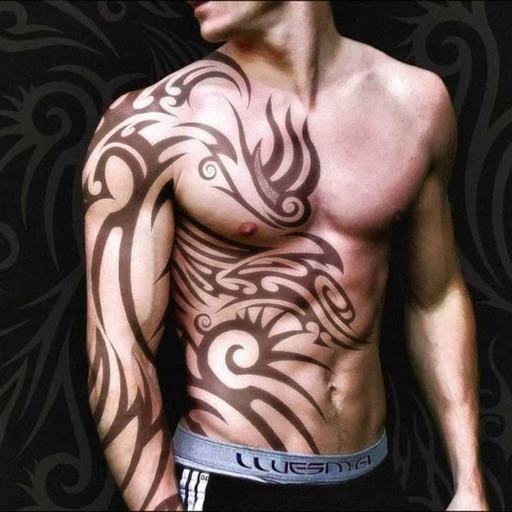
Create tattoos on photos with high-definition images. Select from various styles like dragon, color, love, and kanji. Apply effects and save or share directly. Choose photos from camera or gallery.
Edit photos with effects, spirals, art, and beauty filters. Add background arts and adjust brightness. Export edited images in various formats and share directly.
Edit photos with AI cartoonization and 3D effects. Adjust colors, lighting, and sharpness. Crop, rotate, and apply filters. Add stickers and music. Use templates and transitions to enhance videos. Share edited content directly.
The app creates unlimited collages with a single tap using a SmartSorting algorithm. Users can import photos, select modes, and apply various styles, text, backgrounds, filters, and stickers.