Create immersive soundscapes by adjusting Size and Overdrive for rich reverb and distortion. Morph between soft-clipping and hard-ripping overdrive. Use Wobble for eerie effects and Ribbon for precise control.
by Eventide Inc.★ 4.618 ratingsMusic$14.99Data updated 2026-09-18
The app offers high-resolution stereo/mono recording at 24-bit, 44.1kHz. Users can output recordings in WAV, AIFF, and CAF formats, with direct publishing to SoundCloud and FTP uploads available.
Adjust audio with precise equalization settings. Apply real-time frequency adjustments. Load presets for different sound profiles. Save custom configurations. Access a demo version with limited playtime. Purchase the full version within the .
A music equalizer with five bands, including low shelf, high shelf, and three parametric peak/cut filters. Each filter can boost or cut by 24 dB. Frequencies range from 10 Hz to 20 kHz. Filters can be rearranged freely.
Apply convolution reverb using impulse responses from real spaces or hardware. Adjust parameters for decay, pre-delay, and EQ. Blend multiple reverb types. Export processed audio files. Sync with DAWs for mixing and mastering.
Use a microphone to create live or recorded loops with trigger modes via keyboard. Process sound with bit and sample crusher, delay, and flanger. Play using a 25-key dynamic keyboard or core MIDI.
Children can chat with ’s elves to write letters or draw pictures to . Choose from elves like Sparky, Minty, Ribbon, or Bubbles. messages or drawings directly to .
Adjust equalizer settings for precise sound control
Audio player with 16-band equalizer for custom sound adjustment. Users can set each band using a visual curve or graphic mode. Auto gain adjustment prevents distortion. Preset EQ settings match song metadata like genre or artist.
Create music by touching the screen to play notes and adjust sounds. Use multi-touch surfaces like radar, ribbon, or keyboard. Move fingers to modify tones. The semi-generative engine selects suitable notes automatically.
FM synthesizer with six stereo operators and fully customizable FM algorithms. Create and edit patches. Load and save presets. Use as an AUv3 plug-in in compatible DAWs. Adjust modulation sources and destinations.
Create and manipulate complex sounds using analog-style oscillators, filters, and wavetable synthesis. Modify signals with a 3-FX-Chain and dynamic signal flow. Adjust sounds using a Morph crossfader for smooth transitions.
Edit files with multi-track mixing and trimming. Import WAV, AIFF, MP3, and more. Apply effects like reverb and compression. Cut, copy, and paste sections. Export in high-quality formats and share directly.
Record audio with multi-track mixing and editing. Add microphone models for vocal and instrument enhancement. Share projects via text or email for remote collaboration. Export in various formats and adjust levels and effects.
Apply pre/post Moog ladder filter for tone shaping. Use bitcrusher with adjustable rate and bit controls for texture. Access distortion modules with various reshaping algorithms. Utilize reverb with freeze function for spatial effects.
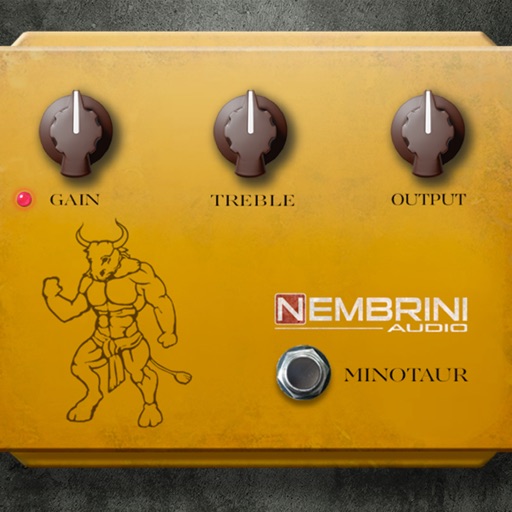
A guitar pedal simulation. Adjust gain, volume, and tone knobs to shape sound. Add clean boost with minimal tonal change. Drive input valve for enhanced signal. Supports pedal-like controls and real-time sound customization.