Apps Like Glitter Effect Studio for iPhone and iPad
Paint on photos
Edit photos by applying filters and adding effects. Choose from 11 types and adjust brush sizes for detailed application. Zoom and pan using two fingers, or draw with a single finger. Save and share edited photos directly.
by Thomas Backes★ 4.550 ratingsPhoto & VideoFreeData updated 2026-09-18
Create and edit drawings using various tools like Pen, Line, Arrow, Rect (Stroke/Fill), Ellipse (Stroke/Fill), Eraser, and Text. Choose from multiple colors including Black, Red, Green, Blue, Yellow, and more. Save or share drawings directly.
Take photos or select images from the gallery. Choose or stickers and place them by tapping and dragging. Adjust size, rotate, or move stickers as needed. Share edited photos directly.
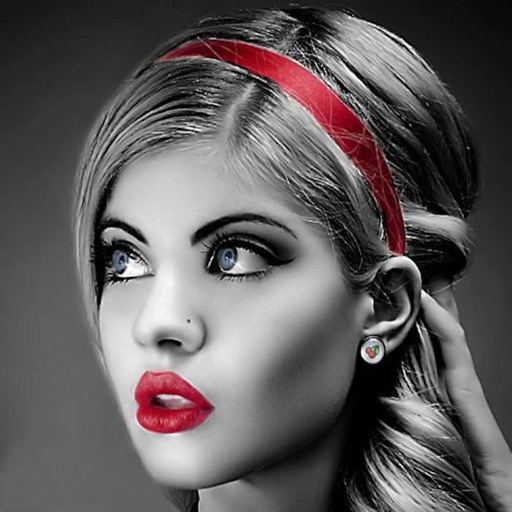
Edit photos with selective effects using gesture controls. Zoom and pan to adjust splash areas. Convert parts of the image to grayscale while keeping selected regions in full . Export edited photos directly.
Create blur effects by tracing fingers over photos, automatically corrected for natural results. Zoom in or out with pinching gestures for precise . Check results by tracing over the screen.
Edit videos by selecting from a library and applying various effects. Add stickers like glitch, text, emojis, and love symbols. Draw shapes and signs in multiple colors. Apply slow and fast motion effects. Add frames or borders to videos.
Edit photos by removing objects using lasso, rubber, and restore tools. Add custom backgrounds and share edited images with friends. Cut out objects for realistic results.
Remove with automatic portrait recognition or brush matting tools. Choose from multiple shape options for precise masking. Add color line strokes to edited areas. Export modified images directly.
Create collages by combining photos, adding stickers, and applying effects. Choose from multiple layouts and templates. Edit images with cropping and filters. Share finished collages directly to social media.
Create custom with HD and 4K quality. Choose from gold, pink, silver, holographic, and rainbow options. Apply to iPhone home screens and lock screens. Preview and save selected designs.
With filters, cropping, and adjustment tools. Apply beauty enhancements and double exposure effects. Use color splash and resize images. Access frames and story templates. Change resolution and export in multiple formats.
Create custom wallpapers with graphic design elements and choose from over 1000 backgrounds. Apply wallpapers to personalize device screens. Edit and adjust themes to match personal style. Save and set custom wallpapers as device backgrounds.
Edit photos with filters, beauty tools, and artistic effects. Adjust skin tone, eyes, and lighting. Add stickers, text, and frames. Export in multiple formats and share directly. Sync with mobile edition for consistent editing experience.
Create and edit digital art with brush tools, layers, and color blending. Import photos and sketches. Adjust brightness, contrast, and saturation. Add text and shapes. Export artwork in various formats and share directly.