Sketch Pad -best drawing board
An Banh
Draw, paint, and share artwork
Learn to draw any subject with customizable color tools. Adjust settings for pencils, pastels, and brushes. Save artwork to camera roll and share on Facebook or Twitter.
Daily, save your art, get a new
Provides a daily blank canvas and prompt for ink drawings. Users have 24 hours to complete each drawing, which is then saved and replaced with a new prompt. Progress is tracked over days and weeks to show improvement over time.
Showing 121–140 of 1,000 ranked alternatives.
An Banh
Draw, paint, and share artwork
Learn to draw any subject with customizable color tools. Adjust settings for pencils, pastels, and brushes. Save artwork to camera roll and share on Facebook or Twitter.

Raysoft.co
Realistic watercolor painting simulation tool.
The app simulates watercolor blending and spreading behaviors using fluid simulation technology. It supports techniques like wet-in-wet, wet-in-dry, dry brush, and dry on wet, along with pencil sketching.
SUNG CHEOL KIM
Create images with many brush types.
The app offers a fullscreen workspace with support for device orientation and multiple canvas sizes. It includes 145 brush markers, layers, zoom functionality, and brush configuration saving.
Hue Hoang Thi
Draw, color, animate with precision
Create digital art with drawing, coloring, and animation tools. Use versatile templates for Anime, Animals, Flowers, Landscapes, Mandalas, and more. Access dual drawing modes for layered artwork.

Yongjie HU
Sketch, paint, and share art anytime
Create and share sketches with realistic brush strokes and modeling effects. Study forms, shapes, and architecture. Save drawings to photo library or social media platforms like Twitter, Facebook, and Sina Weibo.
元彬 蔡
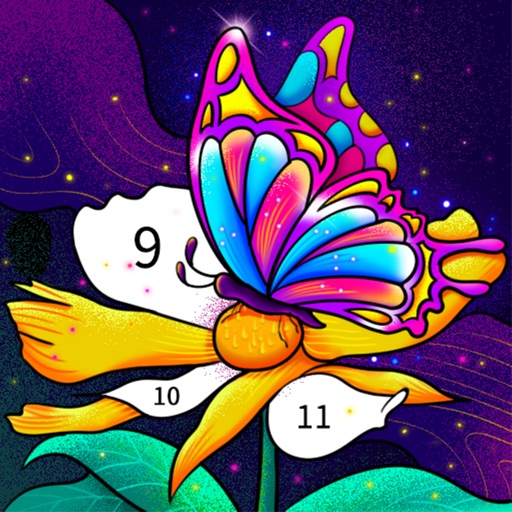
Color exclusive pics with numbers
Color by number artworks can be selected and colored following numbered guidelines. Users can freely paint and save their creations. Artworks are available for free and can be explored in a casual drawing environment.

John Rouda
Draw, wipe, and draw again.
The app provides a digital whiteboard experience for drawing and sketching. It offers multiple marker colors and tip sizes, with undo/redo functionality and the ability to save drawings.


Nanjing hanhe culture media Co., LTD
AI transforms kid's doodles into art.
The app uses AI Magic to transform children's doodles into various art styles like watercolor, anime, or Chinese ink. It offers step-by-step drawing guides and a coloring book for children ages 2–6.

Painter AR Ltd.
Sketch, , and refine digital art
AR : Project sketches onto real-world surfaces for accurate proportions. Use stand mode for stable, low-latency . Convert paper sketches into digital art with precise tracing and editing tools. Save and export artwork in multiple formats.
A2DWebs
, learn, and create anytime
Learn to step-by-step tutorials. Practice techniques and create artwork anywhere. Save and share drawings. Access a library of drawing lessons.
Andrew Kern
Sketch anywhere, draw anytime
Sketch directly on the screen with pressure-sensitive tools. Adjust brush size and opacity. Rotate, resize, and move drawings. Save and share artwork in various formats. Export as vector or raster files.

Kentaro Matsumae
Create flipbook animations and share them online
Create flipbook animations using touch drawing and various brush colors. Edit frames with undo/redo, eraser, and fill tools. Adjust animation speed and manage frames. Save animations and upload to a website. Post comments on published animations.

Apps are ranked by functional similarity, category fit, rating confidence, and popularity.