Provides a daily blank canvas and prompt for ink drawings. Users have 24 hours to complete each drawing, which is then saved and replaced with a new prompt. Progress is tracked over days and weeks to show improvement over time.
by Sam Bleckley★ 4.421 ratingsEntertainment$4.99Data updated 2026-11-17
Drawing techniques through step-by-step lessons. Create and customize sketches with various tools. Access coloring features and save artwork. Share drawings directly from the . Track progress and revisit previous lessons.
Write on PDFs, create notebooks with customizable templates, sketch notes on a large freeform canvas, and take notes on vertically extended pages. Organize content across different document types and layouts.
Create drawings with realistic pencil, marker, and crayon tools. Choose from bright and soft color options. Use notebook-style pages for sketching, doodling, or coloring. Save and share drawings directly.
Create animations using a drawing interface with tools for sketching and refining artwork. Import images or draw frames manually. Export animations as GIFs or videos. Share creations directly from the .
Edit photos by drawing on them with adjustable brush sizes and color choices. Use an erase tool and undo/redo functions for precision. Save edited images for later changes or share them directly on social networks.
Allows users to create drawings using realistic strokes. Users can choose colors, adjust brush sizes, and apply effects. Artwork can be saved, shared, or exported. The interface supports freehand drawing and coloring activities.
The app offers 16 detailed dinosaur coloring pages and two blank pages for drawing. Users can color by touching parts or draw freehand, with a magic wand tool and unlimited undos available.
And write to help characters feel . Create drawings and write messages to resolve their issues. Receive hints to guide your choices. Complete levels by solving emotional scenarios through creative input.
The app provides a virtual coloring and painting book with 20 princess-themed pages. Children can color existing images or draw their own creations using various tools.
On photos or backgrounds with customizable stencils for shapes and patterns. Use over 1400 stamps to decorate artwork. Apply smudge tool for textured effects without touching the screen. Save and share completed drawings directly.
Create and customize stick figures with drawing tools. Add expressions, clothing, and accessories. Save and share drawings. Explore interactive scenes with hand-crafted animations. Import and export artwork.
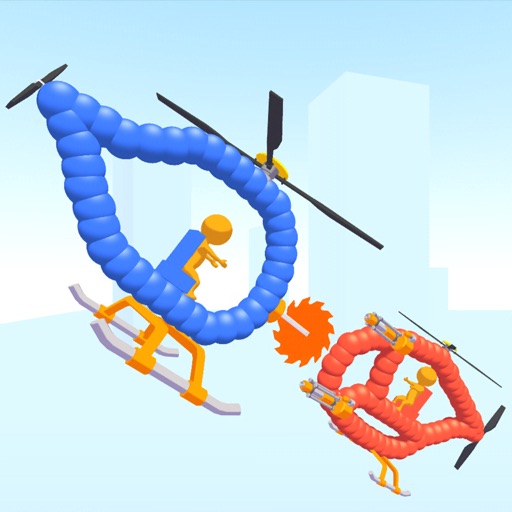
Create custom helicopters with drawing tools, select from guns, machine guns, and lasers. Battle enemies in increasing difficulty levels. Progress through stages to face stronger opponents. Play freely without cost.