Learn electrode placement and identify arrhythmias
Learn electrode placement using 3 and 6 lead sets with interactive guidance. Identify and understand common cardiac arrhythmias through educational content. Access instructional materials to support clinical training and accurate patient monitoring.
by Nihon Kohden America Inc★ 5.03 ratingsMedicalFreeData updated 2026-09-18
Identify plants by taking photos or uploading images. View detailed information about each species. Access insights on characteristics and habitats. Use AI to analyze and compare features for accurate identification.
Identify trees and plants by scanning them. View species, characteristics, habitats, and uses. Access detailed information about each plant. Share findings with others. Sync data across devices.
Identify vehicles by uploading or taking a photo. Retrieve details such as top speed, transmission type, power, and drivetrain. Browse information through an intuitive and organized interface.
Healthcare clinicians can capture and securely upload patient clinical multimedia, including photos and video. Files are automatically sent to a secure clinical software solution with full audit trails.
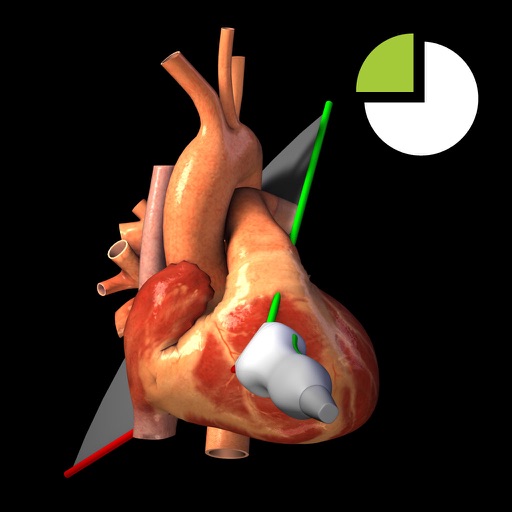
Users can view TTE recordings for 20 cardiac and interact with corresponding 3D heart models. Rotate and adjust 3D models to visualize cardiac structures. Annotate and compare images with reference guidelines.
Create and edit medical notes using generative AI. Input patient data and clinical findings to generate draft notes. Review, modify, and finalize documentation. Share notes securely with healthcare teams. Integrate with electronic health records.
Guide users through cardiac arrest resuscitation with step-by-step instructions and real-time feedback. Access four independent countdown timers for CPR and defibrillation.
Learn about organizational values and personal well-being through interactive content. Track progress on goals and activities. Receive reminders and notifications. Share achievements with caregivers and support networks.
Manage cardiac monitor data by pairing via Bluetooth with a Medtronic patient connector. View device status, activate recordings, and check device information. Sync data from LINQ™ and LINQ II™ ICMs to an iPad® tablet.
Helps users study by providing interactive lessons and quizzes. It offers AI-driven explanations for complex topics. Users can track progress and set study goals. The includes gamified elements to enhance motivation and retention.
Learn about pain management through educational content and movement exercises. Track progress on pain levels and symptoms. Access guided routines to improve mobility and reduce discomfort. Set reminders for exercises and monitor recovery over time.
Capture chest sounds for cardiac assessment. Analyze heart rhythms and structural issues. Provide immediate results for clinical use. Share findings with healthcare providers. Supports in-clinic, hospital, remote, and population screening.
Access patient records and update care plans directly from a device. Receive communication alerts and engage in video, voice, or text interactions with patients. Create and store quick notes for patient interactions.
Access meeting and training resources for middle and high school campus groups. View schedules, download materials, and track progress. Connect with leaders and submit reports through the .
Help clinicians choose suitable probiotics based on patient indications. Provide evidence-based guidance on product selection, dosage, and formulation. Include clinical decision support for appropriate therapy.