Practice ear training with interval identification, chord recognition, scale identification, and chord progression analysis. Listen to audio examples and select the correct musical elements. Receive instant feedback on answers.
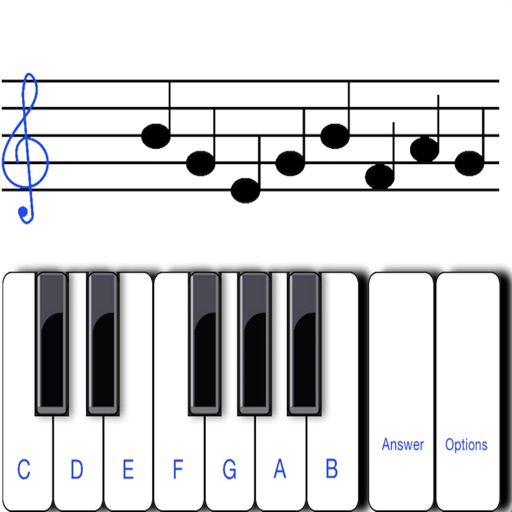
The app provides a note spelling quiz for various skill levels. It helps users learn note names on a staff with options for different clefs and difficulty settings.
Musical notes and clef identification with interactive exercises. Practice reading treble, bass, and other clefs. Track progress with quizzes and feedback. Sync lessons across devices for continuous learning.
And sight-reading with real instruments like , guitar, or violin. Use note buttons or a virtual keyboard. Receive feedback with smiling kitten animations. View session summaries and adjust settings.
Create melodies using the of fifths and fourths. Choose key and scale mode. Generate for selected key. Play via built-in player or arpeggio by holding chord button. Access scale notes individually with play button.
Take real exams from JLPT, college entrance, Japanese postgraduate, and Level 4 specialized exams. Simulate tests on mobile. Practice listening with translation, variable speed, dictation, phonetic notation, and general exercises.
The app allows users to hear pitches for written notes or piano keys. It supports intervals and chords up to 5 notes on iPhone and 12 notes on iPad, with key signature support for easier pitch finding.
Create flashcards from text using AI. Schedule reviews based on performance. Track progress over time. Study subjects like classes, languages, or exams. Adjust review intervals for optimal retention.
The app helps children learn letters and sounds, practice handwriting, and read and spell words. It uses errorless teaching and multi-sensory techniques to support early literacy development.
Learn and practice and modes with interactive lessons and scale position loops. Swipe across strings to play and adjust speed. Use the tuner to stay in tune. Track progress and build muscle memory for improved finger dexterity and improvisation.
Practice chords with interactive diagrams and multiple finger placements. Learn chord progressions and build songs. Tune with built-in tuner. Record and playback practice sessions. Sync progress with cloud storage.
Take notes with AI-powered voice and text recognition. Organize ideas with customizable templates. Search notes instantly using keywords. Share notes across devices and collaborate in real time. Set reminders and integrate with calendar apps.
Learn notes and scales with interactive lessons. Play virtual or use real keyboard. Access sheet music and practice famous pieces. Track progress and receive feedback on performance.
To notes in G and F clefs. Practice notes above and below the staff across six octaves. Randomly generated notes apply to any instrument. Switch clefs for varied practice. Receive feedback on missed notes. Set pace and limit octaves for beginners.
Create and edit progressions with inversions, sus2, sus4, 7th, and 9th chords. Play chords as piano or synth or send MIDI to macOS. Use phone as MIDI keyboard for macOS. Practice reading musical notation.
The app allows users to create and edit melodies using a line-drawing mechanic. Users connect characters representing musical notes, with the drawn lines forming melodies that are governed by musical rules.
The app helps students learn to identify bass clef notes through 80 challenging levels. It was created with input from professional musicians and educators to assist beginners with music reading.