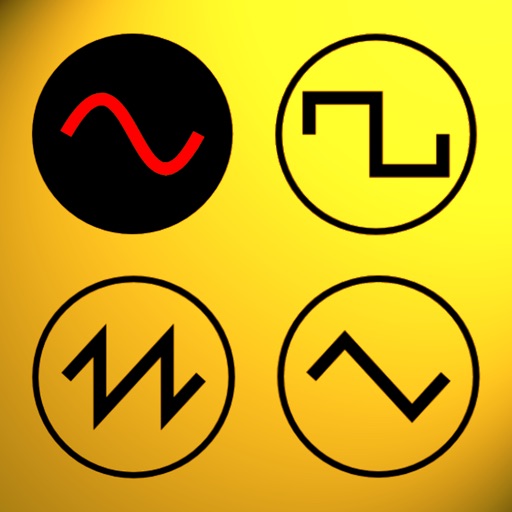
Udio tones with customizable frequency settings from 15Hz to 22KHz. Choose between sine, square, sawtooth, and triangle waveforms. Create and save custom presets. Control playback from notification drawer, lock screen, or headset buttons.
by An-Che Lee★ 4.8522 ratingsUtilitiesFreeData updated 2026-09-18
Phone Usage displays device hardware details and activity. Monitor CPU frequency, memory usage, and network . View Wi-Fi hotspot info and carrier data. Track real-time system performance and resource consumption.
Tune strings with frequency display in Hz. Access chords via two swipes. Load tunings instantly for 64-bit optimization. Use tuning fork for ear-based tuning. Features LED indicator and visual feedback for string status.
Measure sound levels with SPL meter and RT60 analysis for room reverberation. Analyze frequency spectra using spectrogram and octave modes. nd test audio signals with white/pink noise, sine, and sweep options.
Explore mechanical energy conversion by pedaling to generate electrical energy. View sine wave outputs with adjustable period, frequency, amplitude, and phase difference.
Adjusts brightness and contrast for better visibility. It creates themes by inverting colors and applying sepia tones. Users can choose from preset themes or customize colors. Integrates with system mode for consistent appearance.
Helps users manage their headset by providing device information, locating lost devices within proximity, and offering usage guidance. Allows pairing assistance and real-time device status checks.
Generate numbers within a specified range with a single tap. Set minimum and maximum values, view the result instantly, and use for decision-making, games, or selections. No additional features or advertisements.
Create custom logos with AI-generated designs. Choose from extensive asset libraries and customize colors, fonts, and layouts. Export logos in multiple formats and share directly.
Set default and notifications. Play sounds with a single button. Customize device alerts for better hearing. Choose from various high-volume tones. Adjust volume settings for optimal alert performance.
Browse across categories like Classical, Rock, Jazz, Dance, and Country. Search for artists, songs, or remixes. Access watch history. Auto-play next tracks. Repeat or shuffle songs. Enable background playback. Control playback from lock screen.
The app generates Morse Code audio tests using common English words. Users can adjust speed and tone, with options to display or hide words for learning and practice.
The app generates customizable boards for Settlers of Catan. It offers numerous configurations to balance gameplay and prevent unfair advantages for players.
Play sound effects with a single tap. Choose from 45 for calls, messages, or alerts. Save preferred sounds as custom . Share or set as default notification tones.
Learn numbers 1 to 9 through interactive activities with geometric shapes. Identify and match shapes like square, circle, triangle, pentagon, and rectangle. Choose from English, Spanish, Russian, and other languages.
Measure and analyze sound with real-time decibel readings and color-coded safety indicators. Track minimum, maximum, and average levels. Save measurements with location and notes. Receive warnings at dangerous sound levels.
Generates tones between 0 Hz and 25 kHz to remove dust and from speakers. Users can manually set frequencies and adjust cleaning duration. It tests performance and clears debris for improved audio quality.
With four colored buttons that produce unique tones. Players replicate button sequences after viewing them. Features five modes, ten sound themes, and Center support. Tracks progress and aims to improve skills.
Measure sound intensity with a dB meter. nd test sound frequencies using a tone generator. Assess speaker balance with a stereo test. Evaluate response with a test. Monitor audio output quality for accurate sound performance analysis.