Edit photos by applying recommended background colors and color combinations. Adjust color schemes with two fingers. Blur backgrounds and select from multiple color options. Access photos from the album and make edits directly.
by NOTEGG Corp.★ 4.969 ratingsPhoto & VideoFreeData updated 2026-09-18
Create stories with 500+ minimal and aesthetic across 50+ themes. Add text with 40+ fonts and hundreds of color options. Export in high quality and share directly to Instagram, Facebook, WhatsApp, or save to your album.
Edit videos by colorizing specific parts and adjusting brightness, saturation, and hue. Change of selected areas, adjust contrast and white balance, and apply vignette effects. Convert videos to black and white with retention in chosen details.
Record video with real-time and 8mm effects. Adjust exposure, focus, and color grading manually. Capture photos with vintage filters. Export videos in high quality and share directly. Sync with editing software for advanced post-processing.
Create videos from photos with customizable templates and background music. Select from over 50 photo display templates. Export videos as Photo Film files and sync with iTunes or save to computers.
Edit photos by adding realistic scars, cuts, and bruises. Adjust transparency and blur for a lifelike appearance. Share modified images with friends and family.
Edit photos by blurring backgrounds, faces, or specific subjects. Apply various effects and filters. Save edited images to the camera roll or share them directly.
Create artistic images by masking subjects and separating them from backgrounds. Apply filters to subjects or backgrounds for dramatic effects. Adjust styles and textures to enhance visual impact. Share edited photos directly from the .
Edit photos with auto enhance, wrinkle removal, skin smoothing, and blemish removal. Whitening teeth and removing red eye. Adjust color, sharpness, and apply color splash. Add background music and record voiceovers.
The app allows users to digitally change their hair color, exploring various shades and styles. Users can select from a wide palette of colors and adjust them for unique combinations.
Create ID photos with one-click cutout and face recognition. Automatically blur background edges for natural transitions. Save edited photos directly to the album.
Edit photos with real-time cartoon effects and aging filters. Apply artistic effects with one tap. Add text, stickers, and adjust colors. Export edited images in multiple formats and share directly.
Convert photos to black and white drawings for . Import photos from device or camera. Add colors using painting tools. Create drawings on blank canvas. Premium version offers more paint colors, opacity control, and outline editing. Removes ads.
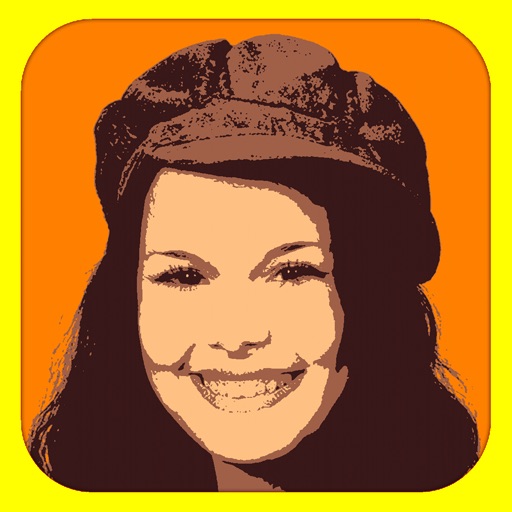
Convert photos into limited-color posters with a effect. Apply filters to adjust colors and brightness. Share images on social media platforms like Facebook and Twitter. Save or email the edited photos directly.
The app allows users to create photo collages from their pictures and share them on social media. Users can select from 52 layouts and customize them with various frame shapes and color palettes.
Backgrounds from photos using AI. Upload images from Camera Roll, tap to automatically. Export edited images or add animated backgrounds for social media and e-commerce platforms.
Edit facial photos with realistic styles and color customization. Try on various types and adjust colors to match hair. Share edited images directly from the .
Enhance quality by unblurring, restoring clarity, and fixing low-resolution images. Create AI-generated avatars from selfies. Apply artistic filters and adjust colors. Export edited photos in various formats and share directly.
Edit photos with brightness, saturation, and contrast adjustments. Add text, stickers, and memes. Crop, rotate, and straighten images. Apply effects and frames. Sharpen or blur photos. Import images from the camera roll. Fix red tones.