Edit photos by applying recommended background colors and color combinations. Adjust color schemes with two fingers. Blur backgrounds and select from multiple color options. Access photos from the album and make edits directly.
by NOTEGG Corp.★ 4.969 ratingsPhoto & VideoFreeData updated 2026-09-18
Create and share short videos as animated GIFs or MP4. Capture frames with the or import photos, videos, or live photos. Apply real-time color filters, add text or frames, and record stop motion.
The app creates unlimited collages with a single tap using a SmartSorting algorithm. Users can import photos, select modes, and apply various styles, text, backgrounds, filters, and stickers.
Edit videos with trimming, splitting, rotating, flipping, reversing, deleting, and duplicating clips. Merge videos, photos, and live photos. Reorder clips as needed.
Colors by snapping photos, browsing galleries, or selecting digital palettes. Find accurate suggestions for outfits or home decor. Determine if clothing colors suit your palette and receive recommended choices.
Edit photos by selecting from a gallery or capturing new images. Apply unique and not found elsewhere. Adjust background colors and photo size. Combine multiple with a single tap. Export and share edited photos.
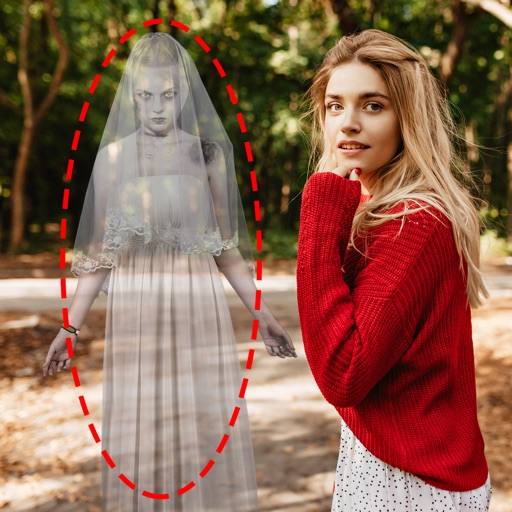
Edit photos by adding ghosts, monsters, or zombies from 62 options. Adjust transparency, color, saturation, brightness, and contrast for each creature. Position and resize creatures freely. Share finished photos with friends.
Add light leakage and filter effects to photos. Apply color date watermarks. Edit daily life and travel photos. Re-add date watermarks to existing photos. Simulate a real one-time camera with 8mm/35mm film.
Edit photos by removing objects with a magic eraser and auto-cutout tools. Adjust colors, apply filters, and enhance details. Save and share edited images directly.
Edit photos with advanced tools like layers, masks, and adjustment brushes. Crop, rotate, and resize images. Add text, stickers, and special effects. Export in various formats and share directly.
Edit photos with modern filters and presets. Adjust colors and tones using advanced grading tools. Crop, rotate, and enhance images with precise controls. Export in various formats and share directly.
Turn your camera into a creative tool with . Apply fluorescent color filters to photos. Choose from 30 color combinations. Tap to switch views and capture images with unique color effects. Share edited photos directly.
Capture photos using a built-in camera and save them to selected albums. Create double exposures or use booth mode. Organize media into albums and browse for specific images. Edit photos with filters, cropping, and adjustments.
Add frames, patterns, colors, and blur effects to profile pictures. Adjust background color and apply instant DP borders. Resize and rotate images for Instagram. Post full-size photos without cropping. Create images for social media.
Edit photos with HD quality frames and multiple frame options. Apply advanced color effects and bokeh blur. Add stickers and labels with various fonts. Share edited photos directly. No ads or pop-ups.
Edit photos with filters, effects, and auto retouching. Apply unique styles and vintage looks. Adjust brightness, contrast, and saturation. Add text and stickers. Export and share edited images directly.
Retouch portraits by smoothing skin, enhancing smiles, and removing imions. Apply filters for vintage, color toning, and film styles. Adjust color temperature and tone for precise corrections. Export edited photos directly.
Edit photos with AI hairstyle customization, face swapping, and one-tap cartoon portrait creation. Add filters, adjust colors, and export images for social media sharing.
Edit photos, adjust features, and transform appearance
Edit photos and videos with AI-powered shape and style adjustments. Change hair color, shape, and facial features. Apply filters and effects. Share edited content directly.