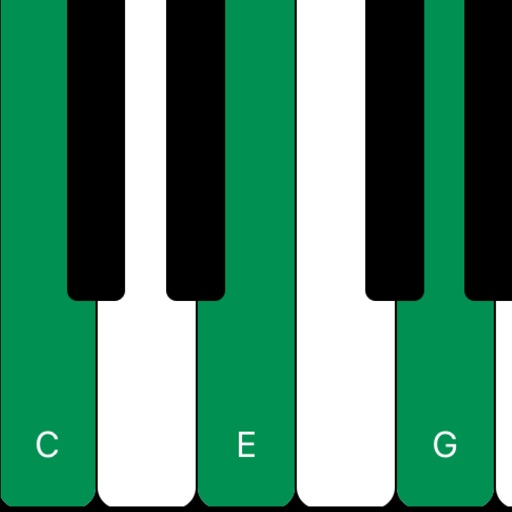
Displays musical chords for each key using Roman numerals. Audibly plays chords for practice. Shows chord positions on a keyboard layout. Helps users learn and identify chords visually and audibly.
by Utili Apps LLC★ 0.00 ratingsMusicFreeData updated 2026-09-17
The app offers interactive piano exercises for learning scales, chords, and improvisation. Users can follow finger positioning, chord suggestions, and utilize features like backing tracks and a metronome for practice.
Learn through -focused lessons that combine with practical playing. Practice scales, chords, and progressions. Track progress and revisit lessons for review. Sync with accessories for real-time feedback.
For verses, choruses, and other sections. Record audio for each section separately. Use the Chord Picker to insert chords. View chords above in display mode. Add guitar tablature and chord diagrams.
Learn through condensed completed at your own pace. Interact with an intuitive chatbot for guidance. Receive live feedback on played notes. Use tools to build practice routines. Track progress with a simple interface.
The app provides a practice tool for learning musical chords and scales. It answers questions about notes, scales, and chords in various musical contexts.
The app is an illustrated chord dictionary for guitar. It contains approximately 5000 chords with realistic sound and displays examples with pictures showing left-hand positioning.
The app offers piano and keyboard lessons with a visual interface. Users can practice scales, arpeggios, chords, and warm-up exercises with adjustable tempo and customizable routines.
Create and perform music with audio and MIDI recording. Use performance tools like repeat, roll, swing, and scale-based chord generation. Edit tracks, arrange sequences, and export final mixes. Sync with external hardware and software instruments.
Create and edit sheet and guitar tabs using touch piano, guitar fretboard, or drum pads. Play back compositions with over 90 instruments. Share directly or export as PDF. Sync with web version for editing on multiple devices.
Play on iOS devices with a 6-string, 15-fret virtual instrument. Scroll through a fretboard, learn , and practice finger placements. Adjust tuning and view chord diagrams for accurate playing.
Create and edit musical scores with multi-staff and multi-voice editors. Add notes and chords using the Pencil tool. Transpose sections with vertical drag. Use On-Screen piano for quick composition. Select and adjust elements with the Select tool.
Detect audio files or YouTube videos to identify musical chords. Analyze tracks from device music library or Dropbox. Learn chords for songs not available in standard databases. Export detected chords for reference.
Identify chords by selecting notes on an interactive fretboard. Browse over 100,000 chords with details on each note's role. Create and decompose chords. Access all types and fingerings, including inverted forms. No ads or data collection.
The app provides over 120,000 guitar tabs and chords from artists in Spain and Latin America. It adapts chords and tabs to device screens and includes features like online chord diagrams and auto-scroll.
Learn key signatures by tapping to see sharps or flats. Generate for any key instantly. Visualize connections between major and minor keys on an interactive circle. Practice with customizable settings and instant feedback.
Practice ear with customizable exercises for chords, intervals, and scales. Track progress across different disciplines. Use a configurable for visual feedback. Access tutorials and follow guided lessons for skill development.
Create and edit music tracks by recording voice and melodies. Add piano chords and other instruments. Save projects on your phone. Share tracks with friends. Export in various formats.
Access guitar tabs and chords in Spanish from .net. Browse over 130,000 songs from Spanish, US, and Latin American artists. Create and manage playlists. Access content offline. Backup and retrieve favorites remotely. Sync across devices.