Apps Like Remote control for Sony for iPhone and iPad
Access , play instantly, save last session
Allows users to access their last quickly for instant . It offers a fast touch pad and keyboard for efficient navigation. The interface is designed with a clean and user-friendly layout.
by Oz Shabbatth★ 4.67,802 ratingsUtilitiesFreeData updated 2026-09-17
TVs and connected devices with a single . Adjust volume, change channels, and navigate menus. Access on-screen keyboard for input. Pair with Bluetooth devices. Manage playback and settings remotely.
Customize equalizer and noise cancellation settings
Customize settings with an adjustable equalizer and noise cancellation modes. Switch between different noise cancellation options to adapt to various environments. Adjust audio quality according to personal preferences.
Control your TV remotely from your iPhone. Adjust volume, navigate menus, and select channels. Supports Samsung, LG, Sony, and other brands. Connect via Wi-Fi, auto-detects TV, and requires confirmation on the TV screen.
TV functions remotely from an iPhone. Open apps and channels quickly. Adjust volume and brightness. Navigate menus and access settings. Duplicate traditional remote features for easy management.
Control devices by scanning your network for setup. Change channels with one tap. Adjust volume or use keyboard input for text entry. Navigate via touchpad without looking at the phone. Pair with multiple players.
Smart TVs and streaming devices with a phone . Select devices like Roku, Amazon Fire TV, Samsung, and LG. Adjust volume, change channels, and navigate menus. Pair with Wi-Fi or Bluetooth. Manage multiple devices from one interface.
Control Roku TV remotely via Wi-Fi. Automatically detect TV in the network. Navigate menus and content using a large touchpad. Launch channels directly from the . No complex settings or button piles.
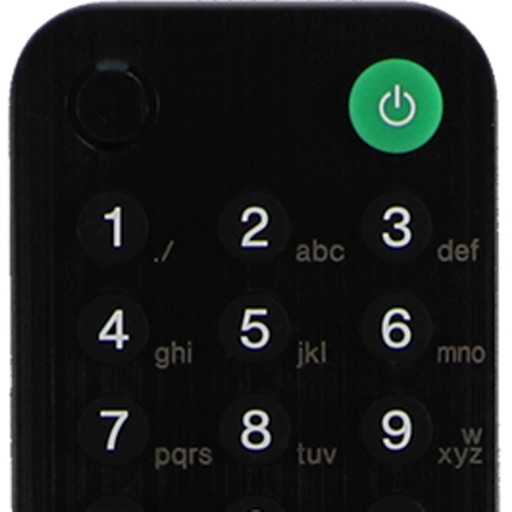
Control TV with power, volume, channel, and arrow keys. Access home, return, mute, and option functions. Use on-screen keyboard for input. Connect via local Wi-Fi network.
TVs with iPhone or iPad as a . Support Apple TV, Roku, WebOS, Tizen, and more. Auto detect TV and access all commands. Change volume, switch channels, navigate, power off, and access menu or info. Works with 100+ TV brands.
Control devices from your phone with one . Manage Smart TVs and streaming boxes remotely. Switch channels, adjust volume, and access favorite apps instantly. Pair quickly with major brands like Samsung, Roku, and LG.
TV functions with button layouts matching popular brands. Adjust volume, channel, and input settings. Manage smart home devices via integrated controls. View device status and receive notifications. Switch between multiple devices and profiles.
Allows users to host a Bedrock Edition server and display it as a LAN server on Xbox or PlayStation devices. Enter server IP and port, run the service, then connect via the LAN tab in Minecraft. Supports connection without DNS rerouting.
Your TV with a remote . Turn TV on/off, adjust volume, change channels, and navigate menus. Supports major brands like Roku, LG, Samsung, and Vizio. Connect via Wi-Fi and use on-the-go without a physical remote.
Control TVs and home theater systems via smartphone. Adjust settings, manage inputs, and access remote controls. Troubleshoot issues and view device status. Sync with compatible soundbars and home theaters.
Control TV with a . Navigate menus and web apps using a built-in keyboard or navigation pad. Automatically connect to devices on the same WiFi network. Perform searches and interact with TV interfaces remotely.
Control your , TV, and Insignia TV from your device. Access apps and channels with a built-in keyboard. Navigate easily with controls and quick access. Support all functions and buttons.
Your TV remotely using a phone as a touchpad or joystick. Switch channels, adjust audio, and navigate menus. Type and select options directly on the screen. Stay connected without a physical .
Control TV remotely using a smartphone. Navigate with D-pad or swipe gestures. Type on the TV using your phone's keyboard. Access apps and websites with single taps. Customize order and connect to multiple TVs. Add custom apps and websites.