Apps Like Superimpose AI - AI Editor for iPhone and iPad
Edit photos, add effects, and enhance visuals
Edit photos with AI-powered background removal and replacement. Generate realistic images from text. Use advanced tools like layers, masking, and cloning for detailed edits. Export and share edited photos directly.
by Pankaj Goswami★ 4.7971 ratingsPhoto & VideoFreeData updated 2026-09-17
Edit photos by applying recommended background colors and color combinations. Adjust color schemes with two fingers. Blur backgrounds and select from multiple color options. Access photos from the album and make edits directly.
Intelligent : Outline the subject to automatically remove it from the photo. Save images to system album or application album. Edit saved images directly within the .
Edit photos with unblur, object removal, and background cleanup tools. Apply AI filters, artistic styles, and motion effects. Create photo animations with one tap. Export and share edited images directly.
Add realistic lighting to photos with Bokeh, LensFlares, Light Leaks, Spotlights, and Rainbow . Adjust intensity and position interactively. Export edited images directly.
Create sketches from photos with adjustable brush settings and layer controls. Choose from multiple art styles including cartoon, silhouette, and watercolor. Edit sketches with tools for tracing, erasing, and color adjustments.
Edit photos with AI-powered enhancement, colorization, and object removal. Adjust lighting, sharpen details, and correct imions. Apply filters and restore old photos. Export edited images in various formats.
Create AI-powered videos from photos with one-tap editing. Choose from templates and apply effects. Adjust beauty, style, muscles, makeup, and backgrounds. Export videos directly.
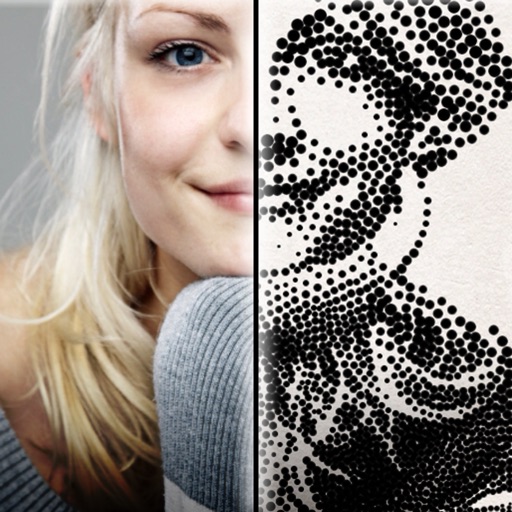
The app creates customized professional stipple drawings from photos using easy editing tools. Users can adjust contrast, brightness, and the number of dots to transform photos into unique works of art.
Enhance image quality by unblurring and sharpening photos, reducing noise, and upsizing for clarity. Improve video clarity with noise reduction and motion smoothing. Sharpen PDF text and lines for better readability.
Remove objects from photos using AI-powered tools. Erase watermarks and unwanted elements with precision. Enhance image quality and clean up pictures effortlessly. Edit photos without complex skills. Export edited images in various formats.
Edit photos and videos with AI-powered tools for refinement, makeup application, adjustment, and background changes. Apply presets and filters. Use smart assistant for creative suggestions. Export and share edited content.
Edit photos with dozens of presets and color correction tools. Adjust lighting and apply special effects like lens flares and vintage dust. Create collages and add text with exclusive fonts. Share edited images directly.
Create videos and animations using AI-powered tools. Transform images into anime or game characters. Edit videos with style filters and effects. Add text and music. Export and share finished projects directly.
Edit images using gestures to adjust features like eyes, mouth, and face shape. Modify poses and slim facial contours with intuitive drags. Add text descriptions for AI-driven edits. Export edited photos in various formats and share directly.
Edit photos with filters, effects, and adjustments. Add text with multiple fonts, colors, and effects. Overlay text or add captions and 3D text. Include stickers, artwork, and frames. Create collages and personalize cards with photos.
Unwanted objects from photos using AI detection. Highlight elements to eliminate and let the blend the background seamlessly. Edit images by adjusting brightness, contrast, and color. Save and share edited photos directly.
Edit photos with filters, cropping, and adjustment tools. Add text, stickers, and borders. Create collages and share directly. Export in multiple formats. Sync with social media platforms.