Children can create AR projects using visual coding blocks or JavaScript. They can design 3D models, animate characters, and share creations on the Hatch web platform. The supports classroom use, coding workshops, and home learning.
by RN CHIDAKASHI TECHNOLOGIES PRIVATE LIMITED★ 5.01 ratingsEducationFreeData updated 2026-09-17
Learn to code through interactive puzzles and games. Create custom stories and games. Explore content made by other children. Participate in monthly contests. Collaborate in multiplayer challenges.
Explore interests, build projects, connect with others
Explore creative interests with 150+ topics including art, coding, and game design. Draw anime and cartoons, learn coding through beginner-friendly lessons, and design games. Connect with others to share projects and receive feedback.
Create lesson plans and manage student progress. Assign and track coding challenges using visual and text-based blocks. Integrate with LEGO SPIKE hardware for hands-on STEAM activities. Monitor classroom performance and provide feedback.
Create from photos or choose from ready-made images. Select pictures from the device gallery. Help develop attention, observation, visual memory, fine motor skills, and coordination through puzzle assembly.
Learn programming concepts through interactive lessons and exercises. Complete coding challenges to reinforce knowledge. Track progress and set goals. Sync learning sessions across devices. Receive personalized feedback and recommendations.
Teaches - math, language, science, STEM, reading, and critical thinking through 21 educational . Includes curriculum-based lessons and interactive activities for children aged 7-10.
PLAY AND LEARN EDUCATIONAL GAMES FOR KIDS PLEI END LERN EDYUKESHINAL GEIMS FO KIDS, TOO
Draw, color, and create cartoons
Create drawings using various colors and tools. Select from pencils and brushes to color favorite characters. Add interactive elements to animate drawings and tell stories. Explore themed scenes like rocket launches and space adventures.
Two players can compete or collaborate in real-time using split-screen. Customize difficulty levels and operations. Track scores and progress. Adjust settings for classroom or home use. Practice addition, subtraction, multiplication, and division.
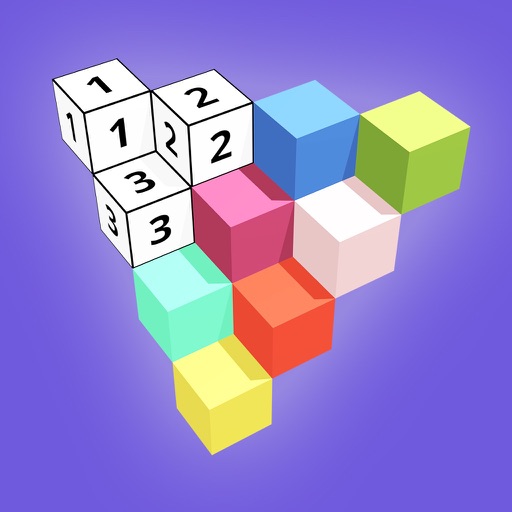
Create 3D models by coloring numbered blocks. Rotate, scale, and zoom to adjust your model. Paint highlighted boxes with selected colors. Save and share completed designs.
Children learn math, reading, and critical thinking through interactive games, books, and worksheets. The adjusts difficulty based on performance, provides rewards, and includes curriculum-aligned lessons.
Teachers can upload photos and videos to classroom albums accessible only to parents and teachers. Parents receive alerts for new updates and can collaborate by assigning tasks or requesting information.
Teaches problem-solving through interactive 3D puzzle blocks. Allows children to assemble shapes and complete levels. Includes colorful visuals and simple drag-and-drop mechanics. Encourages hand-eye coordination and logical thinking.
Game offers educational mini for toddlers and preschoolers. Teach early learning concepts through interactive activities. Includes math, letters, shapes, and colors. Features sound effects, animations, and progress tracking.
Access animated educational videos, interactive activities, and quizzes. Watch content for grades 3-8 across subjects. Complete quizzes and track progress. Replace passive screen time with active learning.
Teaches attention, observation, and visual memory through maze puzzles. Enhances fine motor skills and coordination with interactive gameplay. Includes ABC learning integrated into puzzle challenges. Allows children to progress at their own pace.
Explore -inspired activities for ages 2-8. Drag and drop shapes, sort objects, and match patterns. Learn colors, numbers, and shapes through interactive play. No ads or language barriers. Sync progress across devices.
The app provides graphical programming for users to learn coding, solve math problems, and create artwork and animations. Users drag and drop blocks to build programs without complex syntax.