Apps Like Object Removal Pro - Eraser Me for iPhone and iPad
Remove unwanted content from photos
Remove unwanted elements from photos using AI and image processing. Delete people, pimples, buildings, or any objects. Edit and save modified images without ads. Share edited photos directly.
by 煦慧 蒙★ 4.71,471 ratingsGraphics & Design$5.99Data updated 2026-11-26
Remove unwanted objects and people from photos with a few taps. Edit skin imions and blemishes for a smooth, natural look. Use AI-powered tools to enhance images without internet access.
Remove people from photos using AI-powered editing. Select and erase unwanted individuals or backgrounds. Adjust and refine the result for natural appearances. Save and share edited images directly.
Remove objects from videos by painting the area to be deleted and tapping "go." Edit videos to create fun content and share to social networks. Subscribe for premium features including color editing capabilities.
The app offers tools to enhance photos, remove blemishes, and apply various effects. Users can combine photos into collages, add stickers and frames, and adjust image properties like brightness and contrast.
Create viral videos using AI-powered editing tools. Add text, stickers, and filters. Trim clips and generate cinematic scenes from text. Expand borders and outpaint frames. Share directly to social media platforms.
Remove unwanted or objects from photos using AI-powered detection. Edit images to eliminate distractions instantly. Save and share the cleaned photo directly.
Edit photos by selecting images from the library and using an adjustable brush tool to mark areas for removal. The employs inpainting algorithms to seamlessly eliminate unwanted elements and blend the background.
Format, print, or save photos using predefined templates for 100 countries. Edit job application photos with ten popular formats. Automatically replace backgrounds with a clean white background. Export photos in multiple formats.
Edit photos by removing and replacing backgrounds using AI-powered tools. Cut out people or objects with precise edges. Add custom backgrounds, blur backgrounds, or erase unwanted areas. Save edited images in various formats.
Photo backgrounds using AI-powered object recognition and automatic cutting. Edit images to create transparent backgrounds. Erase objects or elements with realistic results. Save and share edited images directly.
Remove backgrounds from photos using automatic eraser with machine learning. Identify and isolate people, animals, vehicles, and objects. Erase single-color backgrounds for chroma key effects. Manually adjust erased areas for precision.
Remove unwanted people and objects from photos with a single tap. Manually trace and delete specific elements for precise edits. Erase facial blemishes and dark circles cleanly. Export edited photos directly.
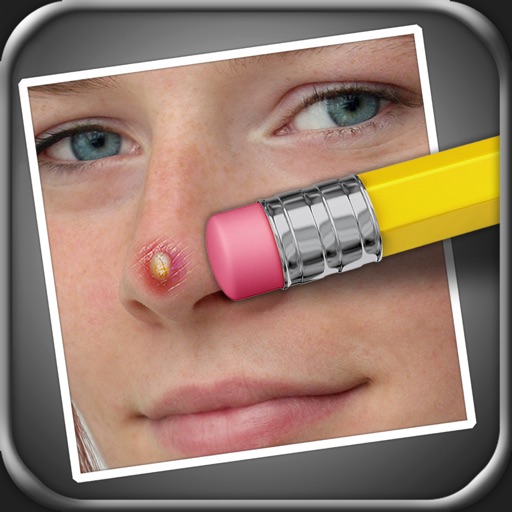
The app allows users to remove blemishes like pimples, moles, and scars from photos. Users can select areas to edit, and the app processes the image to create a natural appearance.
Objects, people, or blemishes from photos. Edit backgrounds and save as PNG or JPG. Crop images, add text, filters, logos, or watermarks. Use one-click background removal and clipping tools.