Edit photos with a wide range of filters and advanced editing tools. Adjust brightness, contrast, and saturation. Add text and stickers. Export images in various formats and share directly.
by S.L.D Solutions FZE★ 4.714 ratingsPhoto & VideoFreeData updated 2026-09-17
Convert static photos into dynamic AI videos with cinematic effects. Add music, text, and transitions. Share directly to social media platforms. Edit video clips, adjust timing, and apply filters. Save and export in various formats.
Apply to photos to change their appearance. Save edited photos to roll automatically. Share photos directly without manual export. Purchase once for permanent use.
QSOFT INFORMATION AND COMMUNICATION TECHNOLOGY SOLUTIONS COMPANY LIMITED
Add , stickers, and customize fonts
Add to photos with over 100 fonts, customize color, size, and alignment, and apply effects like shadows and outlines. Choose from various stickers including animals, people, food, and objects. Create typography with adjustable formatting options.
Create collages using free layouts and grids. Add stickers, text, and backgrounds. Edit photos with cropping, flipping, and layering. Save and share finished collages or stories. Generate wallpapers from edited images.
Create videos with professional and transitions. Add text, stickers, and music. Merge footage and apply filters. Export in various formats and share directly.
Apply to photos with one tap. Adjust colors, exposure, and contrast manually. Sync edits with CC via Adobe Creative Cloud. Export edited images in various formats. Share directly to Instagram or blogs.
Take photos with customizable stickers. Add team or country colors to your . Share images on Facebook, Instagram, and Twitter. Edit photos with painting effects and stickers. Export and share directly.
Edit photos with filters, backgrounds, captions, and stickers. Add themed frames for holidays, birthdays, and milestones. Create collages and apply special effects. Share edited images directly.
Edit photos using filters designed to mimic the look of film taken in . Adjust brightness, contrast, and color tones. Save and share edited images directly.
Photo montages, collages, and custom . Edit images by erasing, changing, or adding backgrounds. Cut people from photos and place them on new images. Add personal photos and decorate with fun .
Edit photos using 300+ Lightroom for iPhone, including Portrait, Cinematic, Natural, Retro, and Instastyle filters. Apply instantly or export to Lightroom. Preview and organize across multiple categories.
Enhance image quality by unblurring and sharpening photos, reducing noise, and upsizing for clarity. Improve video clarity with noise reduction and motion smoothing. Sharpen PDF text and lines for better readability.
Edit photos with retouch tools to smooth skin, remove blemishes, whiten teeth, and enhance eyes. Adjust , slim figures, and reshape proportions. Apply filters and effects to alter appearance and enhance visuals.
Edit photos with AI-powered tools like Magic Eraser and AI Background Changer. Remove unwanted elements, generate images, and enhance photos without manual adjustments. Create studio-quality edits and share directly.
Generate videos from text prompts or photos. Transform images into dynamic videos. Combine AI models for enhanced results. Create shorts and reels without editing skills. Export in various formats.
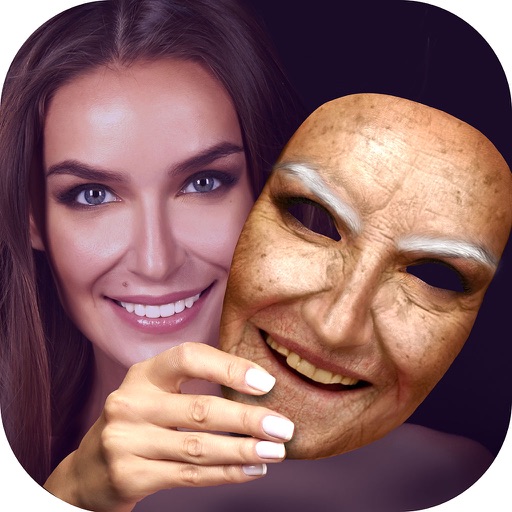
Create a with realistic stickers. Age faces instantly using advanced filters. Edit photos with stickers, text, and . Share edited photos directly. Transform images into old-age versions with tools. Export in multiple formats.