Edit photos with a wide range of filters and advanced editing tools. Adjust brightness, contrast, and saturation. Add text and stickers. Export images in various formats and share directly.
by S.L.D Solutions FZE★ 4.714 ratingsPhoto & VideoFreeData updated 2026-09-17
Edit photos and videos with hairline matting for precise background removal. Erase unwanted people from images. Apply artistic filters and templates. Create greeting cards, memes, and ID photos. Export edited content in various formats.
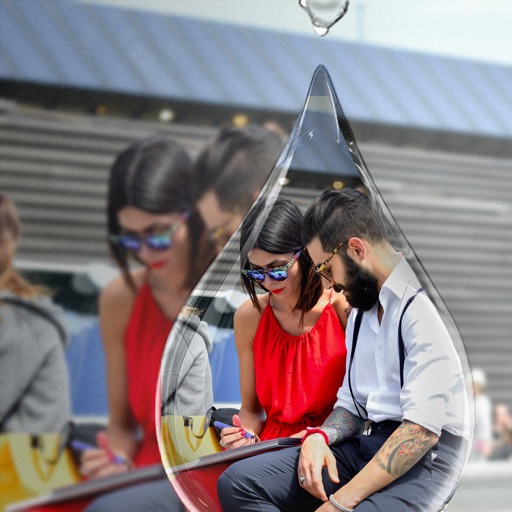
Edit photos with PIP frames, collages, and creative layouts. Add crystal bottle patterns and cartoon styles. Share edited photos directly to social media. Adjust brightness, contrast, and colors. Crop and rotate images.
Edit photos with gold and apply filters for enhanced visuals. Add text and stickers to images. Create montages and share edited photos directly. Adjust brightness and contrast for better clarity. Export images in various formats.
Create looping videos from existing videos or Live Photos. Apply filters, add dynamic overlays, and edit with professional tools. Integrate favorite music. Share directly with others.
Create videos and slideshows with trimming, cutting, and splicing tools. Add filters, themes, music, and text overlays. Export videos in various formats and share via Facebook, Instagram, YouTube, WhatsApp, and other social media platforms.
Capture photos with advanced AI enhancements. Edit images using beauty filters and portrait modes. Create 3D figurines and custom avatars from photos. Share edited content directly. Sync with social media platforms.
Edit photos with filters, cropping, and brightness adjustments. Add text, stickers, and borders. Export in high resolution and share directly. Apply artistic effects and adjust color balance. Save edits in various formats.
Edit photos with crop and rotate tools using templates. Apply LUT to change the mood. Adjust colors with color curves. Add blur in various styles. Use basic tools for contrast, brightness, and vignette.
Create collages by arranging photos and adding editing elements like frames, stickers, and text. Adjust colors and brightness. Export collages in various formats and share via social media or messaging.
Retouch portraits and selfies with advanced editing tools. Adjust skin tone, remove blemishes, and enhance details. Add artistic filters and effects. Save and share edited photos directly.
Edit photos and videos with transitions, special effects, text animations, and filters. Sync content to trending music. Use pre-made templates. Share directly to TikTok, Instagram, Snapchat, and YouTube.
Edit photos with selective colorization effects. Adjust images using pinch to zoom and pan for detailed editing. Apply AI-powered styles automatically. Convert images between grayscale and color. Share via email or album.
Enhance quality by unblurring, restoring clarity, and fixing low-resolution images. Create AI-generated avatars from selfies. Apply artistic filters and adjust colors. Export edited photos in various formats and share directly.
Record and edit videos with AI auto-edit features. Import or capture footage and generate trimmed clips automatically. Export videos in various formats. Add text, stickers, and music. Share directly from the .
Apply 800+ professional with themes like retro, vintage, and cyberpunk. Customize and use DNG feature for advanced editing. Add blockbusting overlays to enhance photos and videos. Export edited content in various formats.
Create professional-quality graphics by adding overlays, fonts, backgrounds, and filters to photos. Edit images with cropping and adjustments. Share designs directly to social media platforms.
Edit images to remove backgrounds and create transparent images. Use zoom for precise edits. Cut out objects and save as stickers. Export for use in presentations, documents, and image editors.
Edit photos with AI-powered and body enhancements. Smooth skin, remove blemishes, and adjust body contours. Make precise edits without altering the rest of the image. Export edited photos in various formats.