View and record video from local network cameras or manually add non-discoverable cameras. Control camera settings, stream live footage, and save recordings. Share video clips directly or export to external storage.
by Philip Bishop★ 4.122 ratingsPhoto & VideoFreeData updated 2026-09-17
Record device screens with customizable settings. Edit videos with trimming, cropping, and effects. Manage files by organizing, renaming, and sharing. Export recordings in various formats.
Record audio notes and memos using phone microphone. Dictate text with voice-to-text feature. Save and organize recordings. Share files via email or cloud. Edit audio clips and add timestamps. Support multiple languages and dictation modes.
Record phone calls and voice with high-quality audio. Start or stop recordings manually or automatically. Organize files into folders and rename them. Securely store recordings and access them anytime.
View live video feeds from connected surveillance cameras. Control camera angles and zoom remotely. Playback recorded footage and receive real-time alarm notifications. Manage cloud storage and device settings from the mobile interface.
The app provides access to Tenvis IP cameras over a local network or the internet. Users can view real-time video streams, control camera movement, and configure motion detection with email alerts.
View IP feeds from local network devices without cloud usage. Discover and organize ONVIF-compatible cameras by room or purpose. Control PTZ functions on supported models. Capture and share snapshots. Stream multiple views simultaneously.
Access live and recorded video from network cameras and NVRs. Receive alarm notifications. Manage cloud devices and view camera feeds remotely. Control PTZ cameras and adjust settings. View playback history and schedule recordings.
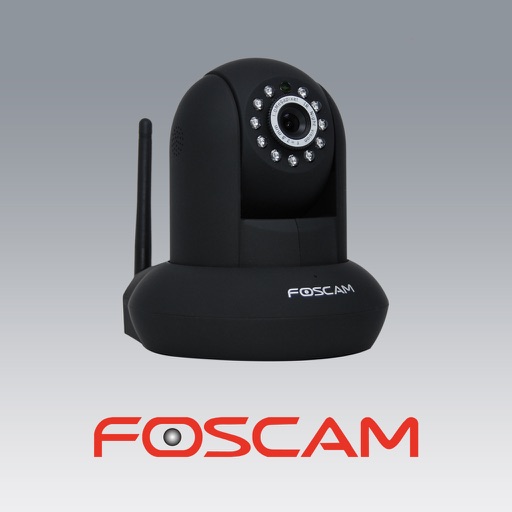
The app allows users to view and control Foscam IP cameras from an iPhone or iPad. Users can watch their home, kids, and pets remotely with a 3G or WiFi connection.
View live and recorded video from multiple locations in one . Manage access permissions, set motion detection alerts, and schedule recordings. Remote control, playback, and system settings adjustment are available across mobile and web platforms.
Record video using front and rear cameras at the same time. View content in picture-in-picture mode. Animate scenes in real-time. Capture moving circles around the subject. Share videos directly from the .
Monitor and control cameras via Wi-Fi for live view, focus adjustment, and shutter control. Support for Canon, Panasonic, Sony, and Teradek devices. Check recording formats and image quality before purchase.
The app allows viewing video from plug n play IP cameras on an iPad. It supports connecting and viewing up to six IP cameras simultaneously, with remote settings updates, pan/tilt control, audio, snapshots, and video recording.
The app provides access to security cameras through FortiCameraCloud or FortiRecorder NVRs. Users can view live video, receive notifications, and play back recorded events from their mobile devices.
The app controls internet radio devices with the Magic M6/M7 platform. It offers local radio, internet radio, and media center functions, allowing users to edit selections and search for stations.
Monitor and control live video streams from cameras and encoders. View real-time footage via P2P or IP connections. Playback recorded footage locally or remotely. Take snapshots and search for images. Enable two-way audio communication.
The app allows users to shoot and edit video within a single application. Users can trim clips, add titles, select music, and choose a studio intro while recording footage.
The app allows users to remotely monitor live video from security cameras through NUUO Surveillance systems. It supports viewing multiple cameras simultaneously via 3G or WiFi, snapshots, and PTZ control.
Monitor enterprise performance with real-time dashboards. Review footage from multiple cameras across locations. Stream live video and audio remotely. Replay recorded footage and create customized views for key areas.