Explore stickers, create new ones, share instantly
Explore and share a wide variety of WhatsApp/iMessage stickers. Create custom stickers using gallery or camera photos with advanced cropping and background removal. Export creations to share with others. Generate instant links to share packs.
Convert images, GIFs, or videos into custom stickers for WhatsApp, iMessage, and other platforms. Edit stickers with text, borders, and effects. Save and share stickers directly from the .
Create stickers from photos or web images using Magic Selector for instant background removal. Personalize with emojis or text. Share stickers via WhatsApp, iMessage, and Telegram.
Create personal stickers by capturing photos or selecting images from your library. Draw outlines to cut out desired areas and adjust sizes. Save and share stickers directly with friends.
Select images from the device's photo library. Choose specific photos for printing. Send selected images to the sticker printer for sticker production.
Create custom stickers with text, images, and emojis. Add sound effects and animations. Share stickers across platforms. Edit and organize collections. Export stickers in various formats.
Create custom stickers with auto and manual cut-out tools. Add text, emojis, and reshape images. Save packs for WhatsApp and iMessage. Include static and animated stickers from a free collection.
And share WhatsApp stories, photos, and videos. Create and download custom WhatsApp sticker sets. Manage multiple WhatsApp accounts from one . Display latest WhatsApp stories on home screen via widget.
Edit photos with filters, stickers, text, and frames. Access images from social media and cloud accounts. photos via IVY Photo Printer or IVY CLIQ+/CLIQ+2 cameras. Share edited photos and order sticker prints for personal items.
Create collages with 20000+ layouts and effects. Add stickers and text to photos. Edit images with cropping and filters. Make videos with carousel and slideshow options. Share directly to Instagram.
Print photos on 2x3”, 2.3x3.4”, 3.5x4.25”, or 4x6” paper using printers. Select photos from smartphone or social media. Edit images with HP’s photo-editing tools. Add stickers to prints. Send edited photos to the for printing.
Edit videos by importing any length footage and selecting a layout or stencil. Add text or stickers. Cut video into 15-second fragments or custom lengths. Save clips to Camera Roll in chronological order. Share edited videos on Instagram Stories.
Create animated and packs with background removal tools. Export directly to WhatsApp, iMessage, Telegram, and Snapchat. Share as images on Facebook Messenger and other platforms. Access exclusive from professional illustrators.
Create and customize , memes, and emojis. Choose from thousands of templates. Add text, images, and animations. Share directly to WhatsApp and iMessage. Edit and save custom packs.
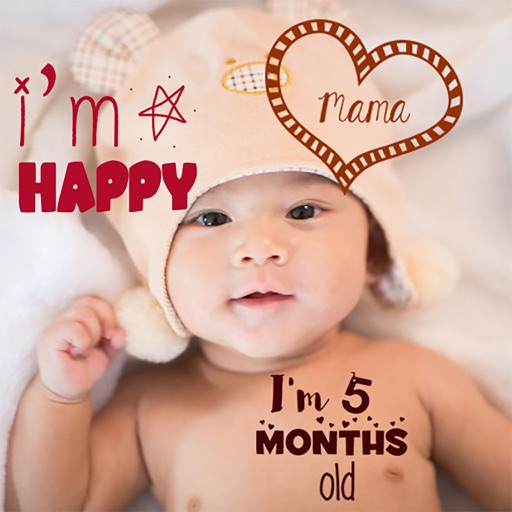
Create stories for pregnancy and milestones using professional stickers and fonts. Add text and -themed stickers. Edit photos with artistic styles. Share and save stories in albums.
Create custom stickers by selecting images from your device. Remove backgrounds, add borders, shadows, text, or draw on images. Combine multiple images into a package, rename it, and save stickers locally. Share stickers directly to WhatsApp.
Create album covers from photos with customizable templates and design tools. Add text, stickers, and parental advisory labels. Export and share finished covers directly.