Apps Like SoundLab - Audio Editor for iPhone and iPad
Edit with 16 tracks and effects
Edit with 16 tracks, 20+ effects, and lossless output. Use AI to separate vocals and instruments locally. Record with minimalistic interface. Zoom and adjust waveform for precise editing. Export and share edited files directly.
by Wuhan BigTool365 Technology Co., Ltd★ 4.614,622 ratingsMusicFreeData updated 2026-10-30
Record audio and video with -quality sound. Edit recordings, add effects, and mix tracks. Collaborate remotely and share files. Use a built-in wireless microphone for portable recording. Sync with iPhone for seamless integration.
The app transforms an iPad into a multitrack music recording studio for audio and MIDI. Users can record, edit, and mix tracks with various editors and effects.
Create with virtual instruments, effects, and AUv3 plugin support. Arrange beats, adjust tempo, and export tracks. Share projects directly or sync with DAWs for further editing.
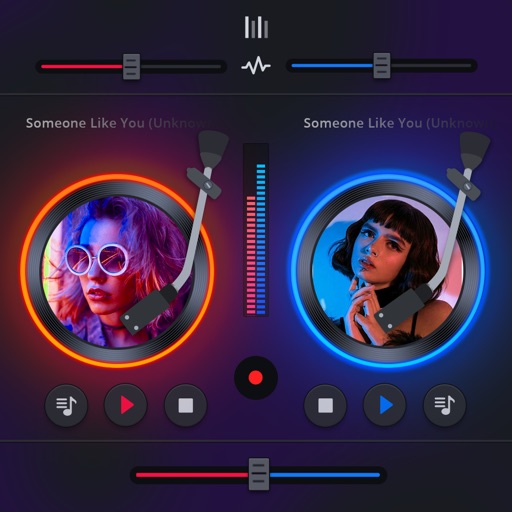
Manage playback with a 3D DJ interface featuring turntables and a 3-band EQ . Access a library to organize files and create custom mixes. Adjust volume and effects in real time during playback. Sync with external devices for live mixing.
Create and edit music using a modular synthesizer with a pattern-based sequencer. Import XM and MOD files. Record audio via microphone or line input. Export multitrack WAV files. Support 16/24/32bit audio formats and MIDI input/output.
Create and edit patterns with polyrhythmic tracks. Add bass and lead synths. Use audio unit support and new FX modules. Import and export projects. Playback and record loops. Retain compatibility with DM1 song files.
Adjust audio pitch in real time for monophonic signals between 50Hz and 2000Hz. Apply auto pitch correction to male and female voices. Modify correction intensity and speed. Add robotic tuning effects with low latency.
Create using AI by typing lyrics, describing a mood, or entering a prompt. Generate complete tracks with high-quality audio. Adjust tempo, key, and instruments. Export and share finished songs directly.
Import videos and apply effects with presets like Small Room, Medium Hall, and Underwater. Adjust Wet/Dry mix for effect intensity. Create custom and delay settings. Export videos in original size or lower resolution.
Simulate vinyl record playback with adjustable scratches, crackles, and noise levels. Control amplifier, pickup needle, and cable quality. Choose between 50 Hz and 60 Hz hum. Adjust ducking and noise levels for different playback scenarios.
Listen to full high-quality audio albums. Watch accompanying videos. View album booklets and extra photos. Access digital versions of physical purchases. Share content with others. Sync across devices.
Adjust audio settings with bass , treble enhancer, and midrange sculptor. Apply custom presets to personalize . Equalize playback for clearer vocals and richer bass. Export modified audio files for playback or sharing.
Create and edit progressions with inversions, sus2, sus4, 7th, and 9th chords. Play chords as piano or synth or send MIDI to macOS. Use phone as MIDI keyboard for macOS. Practice reading musical notation.
Mix audio tracks using automatic BPM detection and tap to adjust BPM. Apply over 20 DJ effects and automated audio FX. Access tracks from iTunes and cloud sources. Integrate with hardware for remixing.
Create using AI-generated melodies, lyrics, and full productions. Select from 450+ genre templates. Edit and refine tracks with intuitive tools. Export and share finished songs directly.
Create backing tracks by uploading songs and isolating instruments like vocals, drums, bass, and guitar. Adjust volume levels for each track. with tempo control, track time spent, and organize song lists for focused sessions.
Create and mix audio tracks with DJ tools, access from media or cloud storage, use high-quality pads and loops, apply filters via swipe gestures, and adjust pitch with the Pitch Key A feature.