Use animated eel stickers featuring four varieties. Add stickers to messages with tap-to-send functionality. Customize sticker size and position. Share stickers via social media or messaging apps.
by DAN BEE KIM★ 5.04 ratingsStickers$0.99Data updated 2026-09-17
Stickers animate with unique stories. Users can send spooky messages, suggest costume ideas, add humor to texts, and create unexpected interactions with friends or coworkers.
Create and send animated stickers featuring characters. Customize size and position. Share stickers via chat or social media. Access a library of pre-designed animations.
Use -themed stickers to personalize messages. Add stickers to text, emails, and social media posts. Choose from various expressions and animations. Share stickers with contacts or save for later use.
Add to messages and social media posts. Customize sticker size and position. Choose from multiple designs for different expressions. Share directly within apps or via email.
Use stickers featuring cute Inu dogs. Add them to iMessage conversations by accessing the stickers section within the Messages . Tap the sticker icon to select and send. Manage sticker availability through the iMessage store settings.
Send directly to iMessages and WhatsApp conversations. Tap to select and send that express emotions and enhance messages. Choose from a variety of fun and vibrant sticker designs.
Add stickers and effects to iMessage conversations. Resize stickers with pinch gestures. Include Day . Place stickers over messages, images, or other stickers. Share emotions and ideas through humor and visual effects.
Attach a cute to messages. Choose from various categories. Customize size and position. Share stickers with contacts. Save favorite stickers for quick access.
Add stickers to messages by tapping to place them in the thread or dragging to position over text, images, or other stickers. Share pre-designed characters to brighten conversations and express emotions.
Add -themed stickers to messages and photos. Choose from , designs with holiday messages. Customize text and combine stickers with images. Share decorated content directly.
Create and send animated stickers to messages. Choose from a variety of cute expressions. Customize size and color. Share stickers with contacts or save for later use.
Use animal-themed stickers to express emotions. Choose from various animal images. Customize sticker size and position. Share stickers via messaging apps. Add stickers to photos or messages.
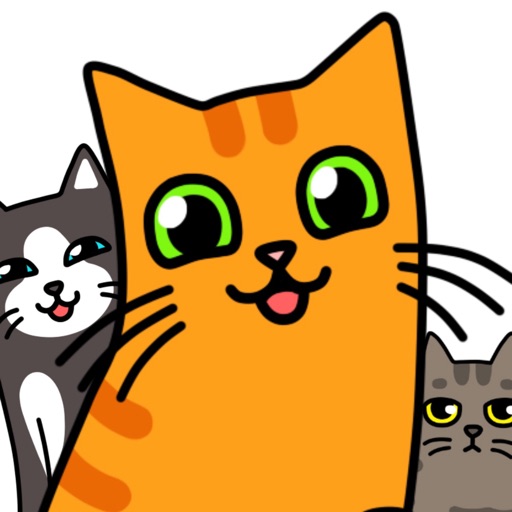
Add cat stickers to messages. Choose from a collection of cute cat images. Customize size and position. Share stickers across platforms. Save favorites for quick access.
Use stickers to express emotions like happiness, sadness, or motivation. Access over 100 stickers with free and paid options. Organize stickers into customizable columns for easy access.
Attach stickers to messages to add playful expressions. Choose from a variety of cute, instrumental designs. Customize size and position. Share stickers across platforms and devices.
Add stickers to messages by tapping and dragging them onto text, photos, or other stickers. Place stickers anywhere in the message thread. Use free or paid apps for still images or animated content.
Use stickers to enhance messages and social media posts. Choose from a variety of themed designs. Customize sticker size and position. Share directly within apps or via links.