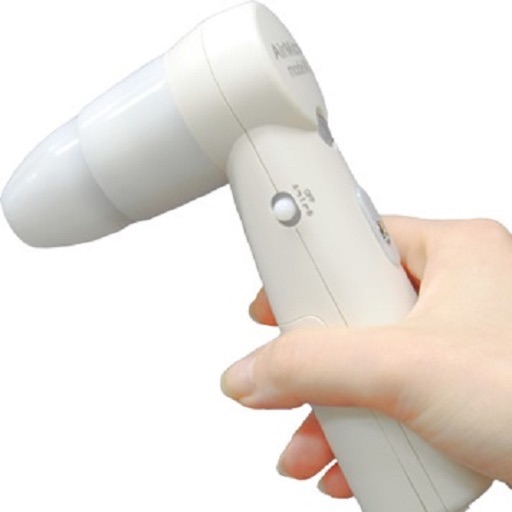
Allows real-time viewing of endoscope footage via Wi-Fi. Users can record videos, take photos, and manage devices. The enables remote control of the endoscope and playback of captured media.
by 连咏 刘★ 0.00 ratingsPhoto & VideoFreeData updated 2026-09-17
Control AI anti-collision device via Wi-Fi direct connection. Configure vehicle anti-collision settings. Preview, playback, and download HD driving videos. Perform remote firmware updates using OTA service.
Upload and organize real estate photos and videos. Edit images with advanced tools. Generate 3D tours and drone footage. Create marketing kits and websites. Schedule next-day photo delivery. Collaborate with project managers and creative specialists.
The app allows users to capture pixelated photos and movies with a real-time preview. Users can adjust the pixelation center by touching the screen and control the range with pinch gestures.
Scroll smoothly through scripts while recording videos. Maintain eye contact with the camera during playback. Adjust text size and position for optimal visibility. Record video directly within the .
The app offers file sharing via iTunes, email, AirDrop, iCloud, Dropbox, and Google Drive. It supports remote control through iOS devices, Bluetooth keyboards, touch tones, audio remotes, and Apple Watch.
The app offers photo and video management with organization by groups, events, albums, and dates. It allows users to gather and share media from events with friends and family, and offers multiple viewing modes.
Access surgical cases for review, annotation, playback, and downloading. Connect securely to Evolution4K and other recorders via iPad, iPhone, or iPod Touch. Perform surgical reporting and manage recorded procedures.
Watch videos on a large screen with friends. Control playback, adjust volume, and manage content sharing through the phone. View interactive features and manage social interactions in real time.
Remotely control the TW10 camera via Bluetooth. Adjust settings such as focus, exposure, and zoom. Capture high-quality video and photos. Transmit footage in real-time to a connected device.
Record driving videos with high-quality footage using iPhone's camera. Enable loop recording to overwrite old files. Dim screen automatically during recording to save battery. Start recording automatically when the is opened.
View and save images captured with or ProScope Mobile. Adjust focus and brightness. Share photos via email or messaging. Compatible with Apple iPad, iPhone, and iPod. Used for skin analysis and educational purposes.
Control all functions of quadcopters for photo and video recording. Start and stop captures. Access and view recorded media from the memory card. Manage settings for gear adjustments and live-picture transmission.
Take selfies with filters and HD video recording. Edit photos with face enhancement tools and color adjustments. Add stickers and text. Share directly to social media. Record and edit videos with basic trimming options.
Allows in 4K to YouTube and Facebook simultaneously. Users can broadcast audiovisual content from their mobile device. The supports Picture-in-Picture mode and custom overlays. It enables real-time with high-quality video output.
View photos and videos captured with lenses, offering wide-angle perspectives up to 230 degrees. Zoom in on images, save them for personal use, and access content requiring an internet connection.
The app allows users to experience augmented reality by viewing special video content. Users scan AR Maker targets with the camera, and videos appear on the display.
The app allows users to take, decorate, edit, and share selfies. It features a smile-activated timer and a rotary dial control for one-handed operation.
Control aircraft flight using a joystick, gravity感应, or hand gestures. Take and view photos and videos locally. Draw flight paths for the toy aircraft to follow. Access VR mode with compatible glasses.