Allows users to write notes quickly without creating new entries. It supports typing text, solving simple math problems, and syncing across devices via iCloud. Notes are stored in a single document.
by Erik Wegener★ 4.835 ratingsProductivity$1.99Data updated 2026-09-16
The app syncs handwritten notes, sketches, and diagrams from a Livescribe 3 or Aegir smartpen to an iPhone or iPad. Users can organize, tag, and convert notes to text for tasks, reminders, and events.
Allows users to perform calculations by without typing. It solves math problems using AI models like ChatGPT and Gemini. Users can ask for comparisons, bill splits, and percentage discounts. The converts units and time formats instantly.
Create and organize notes with color coding. Arrange sticky notes on a virtual whiteboard. Save and share notes across devices. Import images and PDFs. Collaborate in real-time with multiple users. Set reminders and categorize notes.
The app captures notes automatically when it detects corner codes. It removes the background, leaving only the user's writing or drawing on a white background.
Create double-sided with text, visuals, definitions, formulas, or poems. Organize into topic-based stacks. Customize stacks with notes and tags. Test knowledge with spaced repetition quizzes. Track progress with accuracy and time metrics.
Write notes and documents with a natural handwriting experience. Customize fonts and colors. Save and organize notes. Export as PDF or image. Share notes directly. Sync across devices.
Make decisions by selecting options and letting the randomly choose one. Save personal lists and share them via a unique code. Input multiple choices and view the selected result instantly.
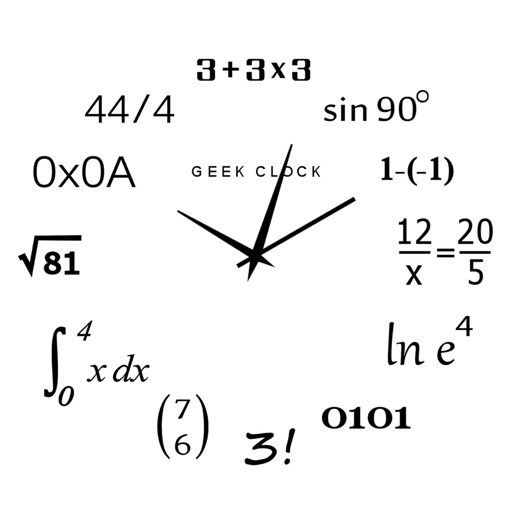
Display time using math problems instead of numerals. Switch between horizontal and vertical layouts. Toggle day and night themes. View animated quotes related to culture. Solve equations to reveal time.
The app allows users to combine photographs, voice recordings, drawings, and text on a single digital page. Users can capture ideas as they happen by dictating, sketching, or adding photos to notes.
Effortless PDF annotation and collaboration tools.
The app offers effortless PDF annotation with an intuitive interface. It provides fast document review using a thumbnail sidebar and supports sharing annotations with other users.
Track and organize personal relationships by adding , notes, and labels. Search contacts by name, label, or notes for quick access. Sync data across devices using the same email account.
Convert images to PDF by selecting from gallery or scanning with camera. Combine multiple files into one PDF. Save, share, or print converted documents. Manage files offline without internet connection.
Simulates a retro scientific calculator with RPN input. Features a 10-digit LED display, four stack registers, and a storage register. Includes math, trigonometric, and logarithmic functions. Displays results in polar/rectangular formats.