Record and edit audio clips with trimming and cutting features. Capture sounds from various sources. Adjust volume levels to protect hearing. Save and organize recorded files. Share edited audio files directly.
by NORICHIKA NAKATA★ 4.371 ratingsMusicFreeData updated 2026-09-16
Extract from video files and convert to multiple formats. Crop, splice, and adjust volume. Create ringtones and batch process files. Export at double speed with customizable sampling rate and bit rate. Play and share edited directly.
Add warmth and noise to audio with . Apply saturation, wow, and flutter effects. Adjust parameters for lofi or distorted sounds. Use as a master effect or channel insert. Export modified audio files.
Play audio files with speed control, pitch adjustment, and equalizer settings. Support remote control via compatible earphones. Adjust volume up to +20 dB. Cannot play iCloud or DRM-protected files.
Create custom ringtones from music or movies. Select audio clips using a built-in iTunes navigator. Edit waveform for precise trimming. Export ringtones in various formats. Share directly to devices.
Listen to recordings of real sounds including neighing, nickering, and snorting. Explore different vocalizations and learn about their meanings. Save and organize favorite sounds for later playback.
Play sound effects with customizable buttons and high-quality audio. Select from , laughs, animal , alarms, and weapon noises. Share directly or record and edit audio clips. Annoy friends or pets with interactive sound options.
Create custom ringtones from songs, sounds, or voice memos. Trim audio clips and set start/end points. Save as , text tone, or alert sound. Share ringtones with others. Sync with to apply custom sounds.
Play music using nine sample pads to trigger audio loops and samples. Select tracks from your device library. Adjust playback modes including looping, grouping, and fading. Create custom arrangements for performances or events.
Create and share custom music mixes. Upload to the Community, like and comment on others' mixes. Follow DJs and receive push notifications for updates. Edit audio with improved warping features. Sync with Apple Health for workout tracking.
Create and edit beats using a virtual analog synthesizer. Build grooves with a 16-step sequencer. Choose from multiple sound parts. Export audio files. Sync with other devices for playback.
Convert images into music by analyzing color patterns as the image spins. Adjust volume, pitch, and tone settings. Create unique songs from personal photos or use for musical inspiration. Export and share generated audio files.
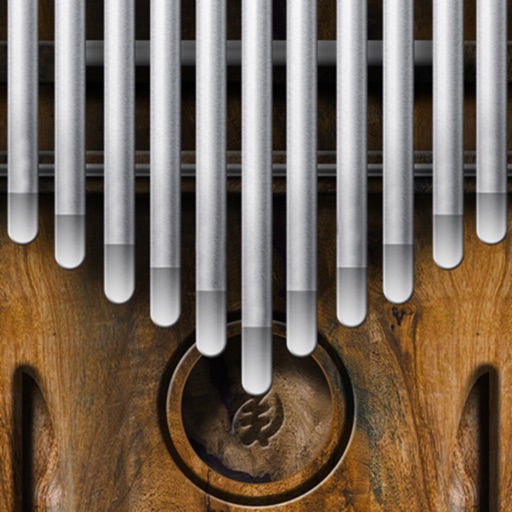
Play a simulator by sliding fingers over tines to produce multiple notes simultaneously. Adjust pitch and volume. Visualize tine vibrations in time. Save and share custom compositions. Sync with music apps for playback.
Play and record compositions with high-quality sounds. Save, rename, and organize recordings. Share creations directly. Explore instrument tuning and playback settings.
Create beats using pads, loops, and effects. Record and edit audio tracks. Save and share projects. Adjust tempo and volume. Add samples and custom sounds. Trigger patterns with touch or MIDI. Export in multiple audio formats.
Practice dance with authentic instrumental sounds including sarangi, esraj, sitar, harmonium, sarod, bansuri, tabla, and ghungroo. Access recorded lehra for dance practice. Sync with Lehra for comprehensive training.