Calculate Army Combat Fitness Test scores with a built-in . Input test results to get detailed scores. Save scores for records or diagnostics. Take notes using the journal tool. Share results via text or email.
by Polemics Applications LLC★ 0.00 ratingsUtilitiesFreeData updated 2026-09-16
Perform complex calculations with customizable formulas and equation solving. Save and reuse calculations. Convert units and manage multiple profiles. Export results and access advanced functions like matrix operations and statistical analysis.
Track shaving progress with daily logs and streak counters. Set reminders for shaving sessions. View historical data and progress charts. Sync across devices for consistent tracking.
Calculate , topsoil, dirt, or landscaping material needed for projects. Input dimensions for rectangular, circular, or custom areas. Enter measurements in inches, feet, yards, centimeters, or meters.
Calculate using coordinates with options for square meters, feet, acres, hectares, kilometers, and miles. Measure distance between points. Premium users can save areas, add notes, attach images, and calculate prices based on values.
Look up biblical definitions and explanations. Access entries from Webster's 1828 , Easton's , and Smith's . Search for terms, view historical definitions, and explore theological context.
Calculate sales tax and discounts with percentage-based operations. View equations and reuse previous results via the history tape. Adjust rounding settings and switch between multiple color themes.
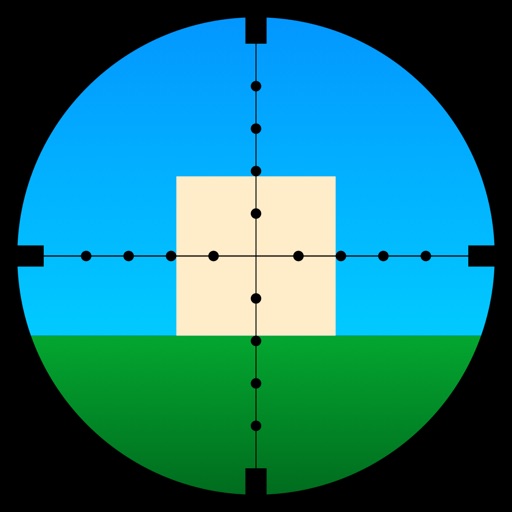
Learn to use a -Dot Riflescope with real-time range calculations in yards and meters. Perform target range estimation quickly using a simple graphical interface. One-handed operation eliminates manual input for range measurements.
Build and customize armies with the Army Builder tool. Manage units, assign abilities, and save configurations. Track game progress, view battle logs, and access rule references. Share army lists and receive feedback from other players.
Perform basic math operations including addition, subtraction, multiplication, division, and percentage. Store and retrieve calculation results. Customize number, operator, parenthesis, and result colors. Enable touch sound for feedback.
Manage budgets, mortgages, and loans with compound interest and tip calculations. Use speech voice for accessible feedback. Keep equation history, view real-time results, and export data to email or CSV.
Perform complex calculations using 10 built-in calculators including scientific, financial, and unit conversion tools. Access 10 financial worksheets for budgeting, loans, and investments. Save and share calculation results.
Calculate required exam scores to achieve target grades. Input current , desired , and exam weight. Save calculations for reference during studying. Track progress toward academic goals.
Manage calculations with advanced functions, customizable themes, and unit conversions. Save frequently used equations. Export results as PDF or image. Access additional tools via in- purchases.
Allows users to perform basic arithmetic operations. Choose from different background colors and display themes. Input numbers and operators to calculate results. Switch between light and dark modes for better visibility.
Test smartphone or tablet performance with diagnostic tools. Register protection plan and enable AI-powered SmartSaver for reward earning. Monitor device health and receive diagnostic results.
Calculate age with detailed breakdowns including months, days, hours, minutes, and seconds lived. Include BMI calculation for health metrics. Input birthdate to generate age statistics and health data.
Calculate historical prices and convert to today's
Calculate historical currency values from 1800 to 2025. Convert prices using 22 currencies including US Dollar, Euro, British Pound, and others. Adjust for and view adjusted values over time.
Calculator lets users perform basic and scientific calculations with over 30 functions. Switch between portrait and landscape modes. Customize leather color and background texture on iPad. Take notes or draw directly on the interface.