Record videos and photos with professional tools including focus peaking, false color, and histogram. Support PRORAW and RAW/DNG export. Adjust audio metering, custom resolutions, and frame rates. Use eight modes including slow motion.
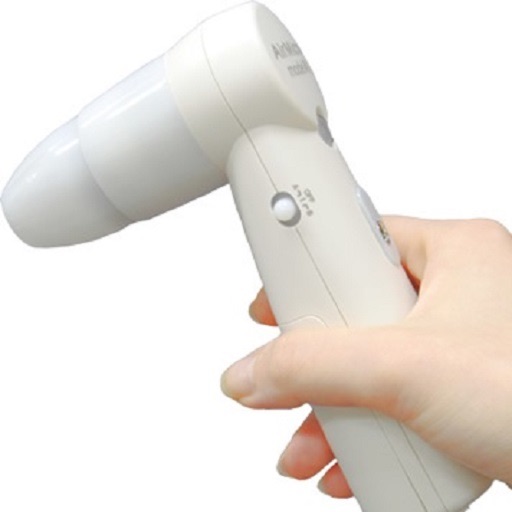
View and save images captured with or ProScope Mobile. Adjust focus and brightness. Share photos via email or messaging. Compatible with Apple iPad, iPhone, and iPod. Used for skin analysis and educational purposes.
Add vibrant color to specific image areas using the Color Splash Effect. Adjust intensity and placement. Export edited in various formats. Share directly from the .
Record video and photos with full manual controls for exposure, focus, and white balance. Adjust creative looks and apply filters. Switch between stills and video modes. Export files in high-quality formats and share directly.
Interactive 3D tooth models allow users to explore detailed anatomy and pathology. Users can simulate endodontic procedures, review case studies, and access step-by-step treatment guides.
Capture photos with manual control over exposure, focus, and white balance. Edit images using advanced tools for color correction, contrast, and sharpening. Export in high-resolution formats and share directly.
Edit videos with controls including focus, exposure, ISO, and white balance. Apply slow motion, speed up, add borders, filters, text, music, blur, emojis, and stickers. Share directly to YouTube, Facebook, Snapchat, Twitter, and Instagram.
Edit RAW photos with color and tone adjustments. Import and process RAW files from cameras or storage devices. Organize and manage libraries. Capture pro-grade RAW images with manual controls.
Edit photos with filters, masking tools, and multiple filter layers. Apply selective filters using advanced masking to create effects like color splash or tilt shift. Adjust and combine filters for custom results.
Apply AI-generated art filters to photos using style transfer technology. Adjust brightness, exposure, and temperature for fine-tuning. Save and share edited images directly.
Functions as a that adjusts brightness automatically to capture images in both bright and dark environments. It does not support video recording; users must use the standard iOS screen recording function for videos.
Explore histology with zoom, annotations, and tissue descriptions. View 3D models for detailed anatomy. Take and review quizzes. Access AI analysis for slide interpretations. Join a community for discussions and feedback.