Apps Like Solfa Pro: learn musical notes for iPhone and iPad
With quizzes and clef exercises
Note names and tonality with interactive quizzes. Practice reading sheet music in various clefs. Train sight-reading and ear training. Switch between English and German note naming systems.
by Dmitry Zaika★ 4.167 ratingsMusic$3.99Data updated 2026-09-16
And find chords based on the circle of fifths. Learn scales and chord progressions. Identify compatible chords within a key. Set and track musical goals. Sync with instruments and export progressions.
With an 88-key virtual keyboard. Switch between single-row, double-row, and double-player modes. Use multitouch and force touch for responsive input. Adjust keyboard width.
Access with professional backing tracks for various instruments and skill levels. Play along with audio recordings, mute your instrument, and follow scrolling . Practice pieces with real-time feedback and track progress.
Tune instruments using a scale with real-time pitch detection. Adjust tuning settings for different string instruments. Includes noise cancellation for accurate readings. Share tuning results or save session data.
Detects and displays pitch in real time. Users can tune instruments by viewing pitch offset. It offers a wide range of pitch detection and responsive tuning feedback.
The app offers tuning for various string instruments including guitars, ukuleles, and cellos. It features educational games for learning chords and ear training, with modes like Tune Guard™ for safe tuning.
Control instruments with multi-touch gestures. Adjust parameters in real-time. Route audio and MIDI signals. Access transport controls and mixer functions. Perform live using touch-based input. Sync with Pro or GarageBand on Mac.
Create and edit sheet with tools. Add lyrics and playback compositions. Export scores in various formats. View and organize sheets for practice or performance. Learn theory through interactive features.
Scan to listen to the notes in real time. Upload or capture printed and hear it played back in various instrument formats. Choose different playback options and adjust tempo or pitch as needed. Sync with devices to access offline.
Practice note recognition with interactive flashcards and games. to play simple melodies like "Happy Birthday" and "Twinkle, Twinkle Little Star." Explore basic theory concepts. Collect stickers as you progress. No instrument required.
Tune instruments using a microphone. Detect pitch and display visual feedback. Adjust for different instruments including ukulele, guitar, violin, and flute. Set reference tones and track accuracy. Save and recall custom settings.
Practice music theory with multiple choice questions and call and response exercises. Identify musical elements and concepts. Compete against players globally. Track progress and receive feedback on accuracy.
Play a full 88-key with touch-based keyboard. Adjust key size for different hand sizes. Switch between 128 instrument sounds including , electric , and harpsic.
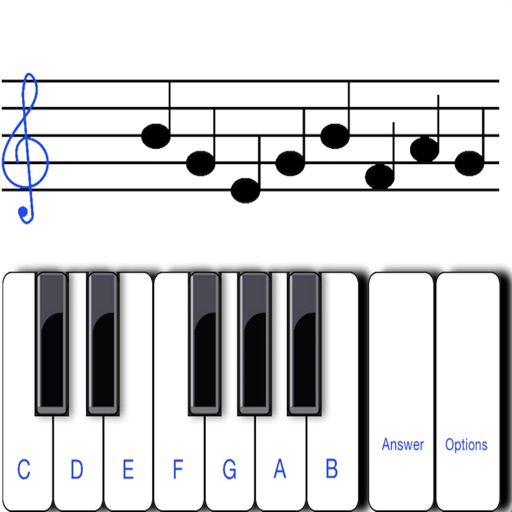
To notes in G and F clefs. Practice notes above and below the staff across six octaves. Randomly generated notes apply to any instrument. Switch clefs for varied practice. Receive feedback on missed notes. Set pace and limit octaves for beginners.