Create and manipulate soundscapes using three independent sound generators with customizable presets. Adjust tuning parameters and position sounds in a 3D space using a spatial mixer.
by Igor Vasiliev★ 4.724 ratingsMusic$4.99Data updated 2026-09-16
Create and edit music tracks using a wide range of drum and percussion sounds. Adjust rhythms and beats with an improved jamming algorithm. Export finished projects in multiple formats and share directly.
The app generates sound by mixing two oscillators with selectable waveforms. Users can create sounds using arpeggiators, sequencers, and various synthesis methods.
Play music using optical discs with 57 concentric tracks. Select chord patterns by pressing buttons. Choose from different musical styles like Bossa Nova or Big Band. Control playback speed and volume.
Control MIDI parameters with LFOs, random generators, envelope followers, and XY pads. Modulate plugins, hardware, and instruments via MIDI CC. Create and automate modulation without drawing automation curves.
Record sounds via microphone and play them on dual piano keyboards with a rhythm machine. Create complex musical arrangements using voice, instrument, and environmental samples. Export and share audio files. Supports Audiobus and MIDI connectivity.
Create and arrange using clip-based editing. Trigger samples and loops, record audio, and capture MIDI performances. Drag and drop clips to experiment with arrangements. Edit audio and MIDI with shaping .
The app allows users to draw sound spectra and play them simultaneously. It offers WAV export, eight timbres, and adjustable octaves from two to eight.
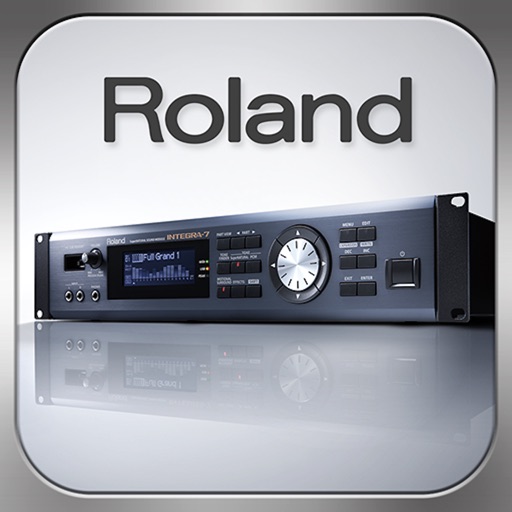
Control synthesizer parameters like SuperNATURAL Synth Tones and Part Mixer remotely. Select and load Studio Sets. Adjust tone assignments for each part. View and modify settings on an iPad screen. Requires Roland -7 and Wireless Connect.
Create and sequence music using 4 sound channels with 3 tone channels and 1 for drums and noise. Adjust audio parameters like pan, amplitude envelope, vibrato, and pitch glide. Add ring modulation, FM synthesis, and a resonant filter.
Simulate springs, control vibrations, create sounds
Create and customize sounds using physical-modeling synthesis. Adjust parameters like gravity, friction, and spring behavior. Access a large library of presets. Save and recall custom sound settings. Export audio files for use in projects.
Play virtual with MIDI controllers or keyboards. Adjust articulation, dynamics, and breath effects. Use Room Simulator "Ambiente" for spatial audio. Load and save presets. Export audio in multiple formats.